Table of Contents ×
- 1 Why Explainer Videos are Effective for SaaS Companies
- 2 How to Make Your SaaS Explainer Video Converting
- 2.1 Step #1. Hook (0–10 seconds): Catch Their Attention Instantly
- 2.2 Step #2. The Problem (10–20 seconds): Show You Understand Their Pain
- 2.3 Step #3. The Solution (20–40 seconds): Introduce Your Product
- 2.4 Step #4. Key Features & Benefits (40–60 seconds): Back It Up with Proof
- 2.5 Step #5. Call to Action (60–75 seconds): Tell Them What to Do Next
- 3 When to Use Explainer Videos in the SaaS Customer Journey
- 4 Wrapping Up: It’s Time to Sell Your SaaS with Strategy
- 5 FAQs on SaaS Explainer Videos
SaaS explainer videos are one of the most powerful tools in any go-to-market strategy. But too many great products launch without one, and eventually pay the price.
I’ve seen it happen more than once where a talented team builds a genuinely impressive solution, but gets no sign-ups after the launch.
More often than not, the product isn’t the problem, but the explanation is.
Potential users don’t understand what the software does, how it works, or simply why they should care.
Without that clarity, even the best SaaS tools struggle to convert.
That’s exactly where a SaaS explainer video can change everything, whether it’s a product demo, an onboarding walkthrough, or a short video that nails your core value proposition.
Below, I’ll share practical steps to create a SaaS explainer video that actually drives results.
But first, let’s look at why they’re the ideal asset for connecting with your target audience.
Why Explainer Videos are Effective for SaaS Companies
SaaS products are often complex, abstract, and hard to explain in a single sentence. Explainer videos bridge that gap by turning complicated workflows into stories anyone can understand in under two minutes.
In fact, 96% of consumers have watched an explainer video to learn about a product or service in 2026, making it the default standard for software education.
More importantly, 84% of buyers have been convinced to purchase a solution specifically after watching a brand’s video.
These numbers prove that visual storytelling is the most direct path from confusion to conversion for modern B2B buyers.
Now, what factors actually make explainer videos effective for SaaS companies?
1. An Explainer Video Uses Casual Language
Instead of diving into code-heavy terminology or complex system architecture, most explainer video scripts use casual, approachable language.
The goal is to make your product feel simple, useful, and accessible, even to someone with no technical background.
I often enhance that clarity with kinetic typography, animated metaphors, or a warm voiceover narrator to walk viewers through the core benefits and features.
This helps build understanding and keeps your audience locked, as well as remembers your brand.
Explainer videos carry both information and connections to your target market.
2. A SaaS Explainer Video is Suitable for Product Videos
I often help SaaS companies create explainer videos that double as product demos, tutorials, and screencast videos.
These videos serve a dual purpose: they educate users while also marketing your product.
In turn, your audience feels like they’ve gained something, even if it’s technically still an ad.
It didn’t just describe the software, but walked users through how it could improve their workflow.
That’s the kind of value-focused approach that builds trust and drives conversions.
A combination of modern animation, clean illustrations, and smart graphics can instantly refresh an otherwise dry-looking webpage or social feed.
Besides, it saves time and keeps your messaging consistent across platforms.
3. A SaaS Video is Time-Saving Content
Instead of lengthy manuals or dense blog posts, use motion graphics and storytelling to show how your SaaS product works.
With the right visuals, pacing, and structure, a 60- or 90-second video can cover what it might take pages of text to explain.
Around 90% of information processed by the brain is visual, and we process visuals 60,000 times faster than plain text.
I’ve seen how a strong explainer video accelerates user understanding and improves onboarding, especially for SaaS products with new or unconventional features.
Here’s an example of a SaaS explainer video from Breadnbeyond using modern kinetic typography for Searchcraft(dot)io.
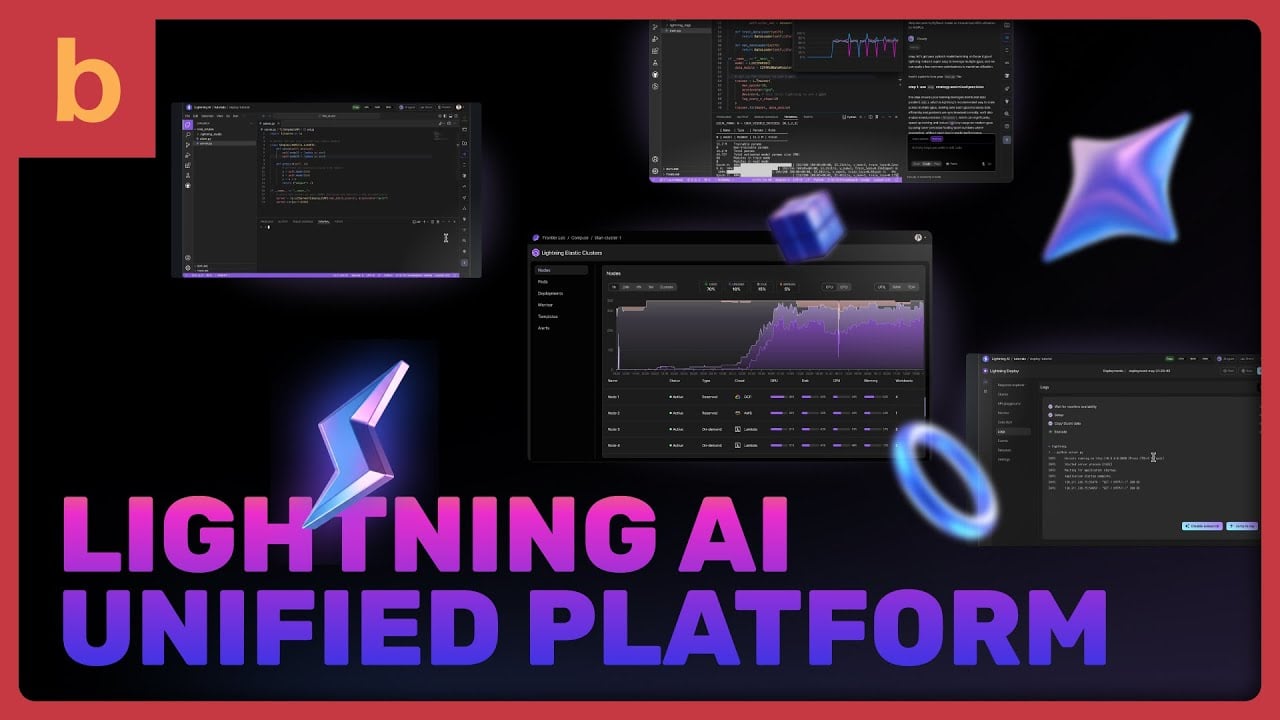
It’s quick but enough to educate audiences about the benefits, features, and even tangible results.
I always tell clients that a successful SaaS explainer requires strategic planning, including:
- Choose the right animation style that aligns with your brand
- Make sure your messaging is clear and accurate
- Avoid restricted or overly technical content that might alienate users
- Align the video with your business goals
I also recommend studying your competitors’ videos on YouTube to see what works (and what doesn’t) when it comes to explaining complex software.
A quick research upfront can save you a lot of second-guessing later on.
4. An Explainer Video Enhances SaaS Marketing
Explainer videos clarify what your software does, while also improving your discoverability.
When embedded on your website, they contribute to longer user sessions and lower bounce rates
Both are key factors that search engines consider when ranking pages.
I’ve seen our videos help SaaS clients earn better click-through rates on Google, especially when paired with a strong video thumbnail.
When your site includes engaging video alongside other media, it sends a quality signal to search engines, showing that your content is diverse, relevant, and helpful.
According to research from Backlinko, roughly 80% of high-volume keywords now return search results that include rich media, including video, images, carousels, and more.
These results consistently outperform plain-text listings in terms of engagement and visibility.
They can be your strategic marketing assets that can drive organic traffic, improve your domain authority, and get your SaaS product in front of the right audience.
How to Make Your SaaS Explainer Video Converting
A converting SaaS explainer video starts with a scroll-stopping hook, followed by a problem segment that builds genuine empathy. That’s before you even introduce your product.
I have compiled how to make converting SaaS explainer video within five steps below.
Step #1. Hook (0–10 seconds): Catch Their Attention Instantly
People scroll fast, and click away even faster. The first few seconds of your video need to stop them in their tracks.
We always consider the hook very seriously. Some techniques we often use are a bold statement, a pain-point question, and a visual metaphor.
For example:
- A bold statement: “Still juggling five tools to manage one task?”
- A pain-point question: “Losing hours every week to outdated processes?”
- A visual metaphor: A chaotic desk, an overwhelmed user, or a loading spinner stuck forever.
A hook is a crucial matter. This moment isn’t about your product, but getting the viewer connected and resonating with your video.
If you’re wondering the ideal video length for your SaaS explainer video, read our guide here: How to Decide Your Explainer Video Length?
Step #2. The Problem (10–20 seconds): Show You Understand Their Pain
This is where I usually build empathy. Instead of rushing into your solution, take a moment to show the exact problem your audience is struggling with.
You can describe the challenge clearly and concisely in plain language.
Use relatable scenarios from the user’s daily workflow.
Most importantly, avoid jargon. This isn’t the time to flex technical details.
People respond to a product that resonates with them, meaning that it is relevant to their problem.
When they feel understood, they’re more open to hearing your solution.
Step #3. The Solution (20–40 seconds): Introduce Your Product
Now it’s time to present your software as the answer.
This is the turning point where the viewer starts thinking, “Okay, maybe this can help me.”
Typically, we show the product in action with real UI (screencast) and simplified animation, highlighting how it addresses the problem directly.
Moreover, we keep the focus on benefits rather than features. This helps audiences grasp the message more clearly.
Step #4. Key Features & Benefits (40–60 seconds): Back It Up with Proof
Once the viewer is interested, they need to understand why your solution works better than the rest.
Even though this isn’t a rule of thumb, mostly you only have time for 2 or 3 highlights.
So, what should you highlight?
The most valuable features for your audience segment (e.g., automation, integrations, dashboard insights).
You can also include tangible outcomes, such as how your SaaS solution saves time, reduces errors, and increases revenue.
Social proof or brief stats can be an effective way to gain trust (e.g., “Trusted by 2,000+ marketers”).
I recommend not overloading this section with features, as it may overwhelm viewers with technical terms.
What’s best is to keep it clear and benefit-driven.
Step #5. Call to Action (60–75 seconds): Tell Them What to Do Next
Now, make sure your audience knows what to do with it. A weak or generic CTA wastes the momentum you’ve built.
Make a catchy and clear CTA, for example:
“Start your free 14-day trial—no credit card needed.”
“Book a demo and see how [Product] fits your workflow.”
“Try it now and simplify your [task] in minutes.”
Consider including an eye-catching CTA design. Show a clickable button (if it’s a web embed), landing page, or app preview to guide the next step.
When to Use Explainer Videos in the SaaS Customer Journey
Most SaaS companies make the mistake of treating explainer videos as a one-time asset, usually on the homepage or during a product launch.
But in my experience, when you place the right video at the right moment in the customer journey, it can do far more than just explain your product.
Potentially, it can also boost awareness, increase conversions, improve onboarding, and even reduce churn.
Here’s how we approach video placement across the full SaaS funnel:
1. Awareness Stage
At this point, your potential customers are just realizing they have a problem or a goal they want to achieve.
They’re not necessarily searching for your product yet, but they’re looking for solutions.
This is where a short, engaging explainer video can introduce your product in a friendly, non-salesy way.
When I work with SaaS clients at this stage, I tell my clients to focus on making the video relatable and problem-focused.
Hook the viewer in the first few seconds by showing that we understand their pain points, as well as keeping the message light but clear.
Here are my tips when creating an explainer video in the awareness stage:
- Keep it short (under 90 seconds)
- Focus on the problem-solution narrative
- Use animation or visuals that are easy to follow
2. Consideration Stage
Once your audience understands their problem, they start comparing solutions.
This is when people begin evaluating different SaaS options, including yours.
A good explainer video at this stage should showcase your product’s core features and demonstrate how it works, clearly and quickly.
When I create consideration-stage videos, I dive deeper into product capabilities.
It’s like a product tour, but condensed and friendly.
The video should explain features, demonstrate real-life applications, and help viewers visualize themselves using your platform.
Some effective approaches I often use are:
- Use screen-recorded demos or UI mockups
- Highlight 2–3 killer features, not everything
- Show credibility (client logos, quick testimonials, or stats)
3. Decision Stage
By now, your leads are close to making a purchase.
They’ve narrowed down their options, and it’s your job to make them feel confident about choosing you.
Explainer videos here should answer final objections and reinforce the value of your product.
From my experience, this is where your brand storytelling makes a difference.
You can feature customer success stories or walk through a specific use case.
These videos should be persuasive but also authentic, like a trusted friend giving a recommendation.
Best practices for decision-stage videos you can try are:
- Show the ROI or transformation your product offers
- Include a strong CTA (free trial, book a demo, etc.)
- Keep it benefit-driven, not just feature-focused
4. Onboarding Stage
Now, the onboarding phase is where your new users take their first real steps inside the product.
This is your golden window to help them feel confident, welcomed, and guided.
The goal here is to help them get started, reach their first “aha” moment quickly, and stay engaged beyond that.
Effective onboarding videos can take many forms: a short welcome message from your founder or a quick-start tutorial that walks through the dashboard.
These videos are best placed where users already are: inside the app (as modals or pop-ups), embedded in welcome emails, or featured prominently in your knowledge base.
I’ve seen SaaS companies significantly lower churn and support inquiries just by including a 30-second “Getting Started” video in their welcome email.
5. Retention & Support Stage
Once users are up and running, your focus shifts from activation to retention.
At this stage, your goal is to deepen their engagement, educate them on more advanced features, and keep delivering value long after the initial signup.
The best videos here are those that go beyond the basics.
For example, pro tips, tutorials on power-user features, update announcements, or customer success stories.
These can be delivered through monthly newsletters, shown in-app during feature rollouts, or included in support center articles.
When customers feel supported and continue discovering new ways to solve their problems with your software, they’re far less likely to churn.
Plus, they’re more likely to become advocates.
Wrapping Up: It’s Time to Sell Your SaaS with Strategy
At the end of the day, your SaaS explainer video should engage, educate, and eventually drive action.
That means crafting a message that speaks directly to your audience’s pain points and delivering it in a format they’ll actually watch.
SaaS explainers also perform best when placed strategically across every stage of the customer journey.
If you’re ready to create an explainer video for your SaaS solution, here’s a quick roadmap to get started:
1. Define your one core message: Identify the single biggest pain point your SaaS solves. Every second of your video should serve that message, resist the urge to explain every feature.
2. Write a script before touching visuals: A strong script is the backbone. Lead with the problem, introduce your solution, show how it works, and close with a clear call to action, ideally within 60-90 seconds.
3. Choose the right format for your audience: Animation works well for abstract or complex workflows. Screen recordings suit product demos, while live-action builds trust for enterprise audiences. Match the format to where your buyer is in the funnel.
4. Produce with quality in mind: Visuals, voiceover, pacing, and branding all signal credibility. A polished video tells prospects you’re a serious product.
5. Place it where it does the most work: Your homepage, onboarding flow, landing pages, and outbound emails are prime real estate. Deploy your video with intent at each stage of the customer journey.
An effective SaaS explainer video must be visually appealing, clearly focused, and strategically produced. If done right, one can be a core part of your go-to-market strategy.
If you’re ready to build a video that sells your SaaS without sounding salesy, Breadnbeyond is here to help.
Learn about our video production packages.
FAQs on SaaS Explainer Videos
1. How long should a SaaS explainer video be?
For most topics, 1–3 minutes is the sweet spot. This keeps the message focused and prevents viewers from losing interest.
If your content requires more explanation, like a deep product walkthrough, consider breaking it into a series of shorter videos.
This makes it easier for customers to digest the information at their own pace without feeling overwhelmed.
2. Can SaaS explainer videos help reduce customer churn?
Yes, and in a significant way. Many customers churn because they don’t fully understand a product’s value or find it difficult to use.
SaaS videos can directly address both issues by offering clear, engaging guidance on how to get the most out of the software.
When customers feel confident and see quick wins from your product, they’re more likely to stick around.
3. What types of SaaS explainer videos should I create?
You can start with the essentials, such as onboarding walkthroughs for new users, feature demos to showcase capabilities, and “how-to” tutorials for common tasks.
From there, expand into product update videos to highlight new releases, customer success stories to build trust, and explainer videos to communicate your value proposition to prospects.
Having a mix ensures you’re meeting the needs of both new and existing users.
4. Where should I share my SaaS explainer video?
Your videos should be accessible wherever customers are most likely to need them.
This could mean embedding them inside your app for real-time help, placing them in your help center for easy reference, and including them in onboarding and feature announcement emails.
For a broader reach, post them on platforms like LinkedIn, YouTube, and your company blog to attract new prospects while educating existing users.
5. How can I measure the ROI of my SaaS explainer video?
Start by tracking engagement metrics like play rate, average watch time, and completion rate to see if people are watching and finishing your videos.
Then connect these metrics to business outcomes: monitor changes in support ticket volume, product usage frequency, customer satisfaction scores, and churn rate.
Comparing these before and after launching your videos will give you a clear picture of their impact on retention, adoption, and revenue.
Breadnbeyond has helped hundreds of SaaS companies turn features into benefits and viewers into users since 2009.
Try our video cost calculator to get a quick estimate to see what kind of video fits your goals and budget.