Table of Contents ×
A good video gives new hires the context they need, shows them how things work, and helps them understand where they fit before they’re expected to figure everything out themselves. The key is knowing what to teach first.
When someone joins a remote team, you can’t simply walk over to their desk and explain things as they come up. Your onboarding materials have to do some of that work for you. That’s where employee onboarding videos can be useful.
I’m writing this article to share what I’ve learned about structuring onboarding for remote teams, especially what new hires need to understand first and what can wait until later.
Why Does Remote Onboarding Need a Different Approach?
Remote employees don’t have the same opportunities to learn by watching others, asking quick questions, or picking things up naturally around the office. Your onboarding process needs to make that missing context easier to access, especially during those first few days.
When someone joins an office, they can learn a surprising amount without being formally trained. They hear how people talk to clients, see how a project is handled, or simply ask the person sitting nearby when something doesn’t make sense.
Remote employees don’t have that luxury. They might spend their entire first week interacting with people through scheduled calls, chat messages, and project management tools.
A few things become especially important:
- Communication: New hires need to know where conversations happen and how the team normally communicates.
- Company culture: It’s harder to pick up workplace habits and expectations when you aren’t physically around other employees.
- Processes: A remote employee needs clear documentation or videos to show how work moves from one person to another.
- Finding information: They should know where to look when they have a question instead of feeling like they need to message someone every time.
- Knowing who to ask: A simple introduction to their teammates and responsibilities can save a lot of confusion.
There is another layer to this. Gallup Hybrid Indicator found that only 54% of managers strongly agree that they trust remote employees to be productive.
I don’t think better onboarding magically solves a trust issue. But giving people clearer expectations and better access to information can remove some of the uncertainty that makes remote work harder to manage.

What Should New Hires Learn First in a Remote Onboarding Video?
New hires should first learn the basics they need to understand the company, their role, and how the remote team works. Start with information they can use right away, then introduce more detailed processes and training as they become familiar with the job.
When I think about onboarding a new person at Breadnbeyond, I try not to throw everything at them on day one. There is a lot to learn when you join a company, and remote employees have an extra challenge: they can’t simply turn around and ask the person sitting next to them.
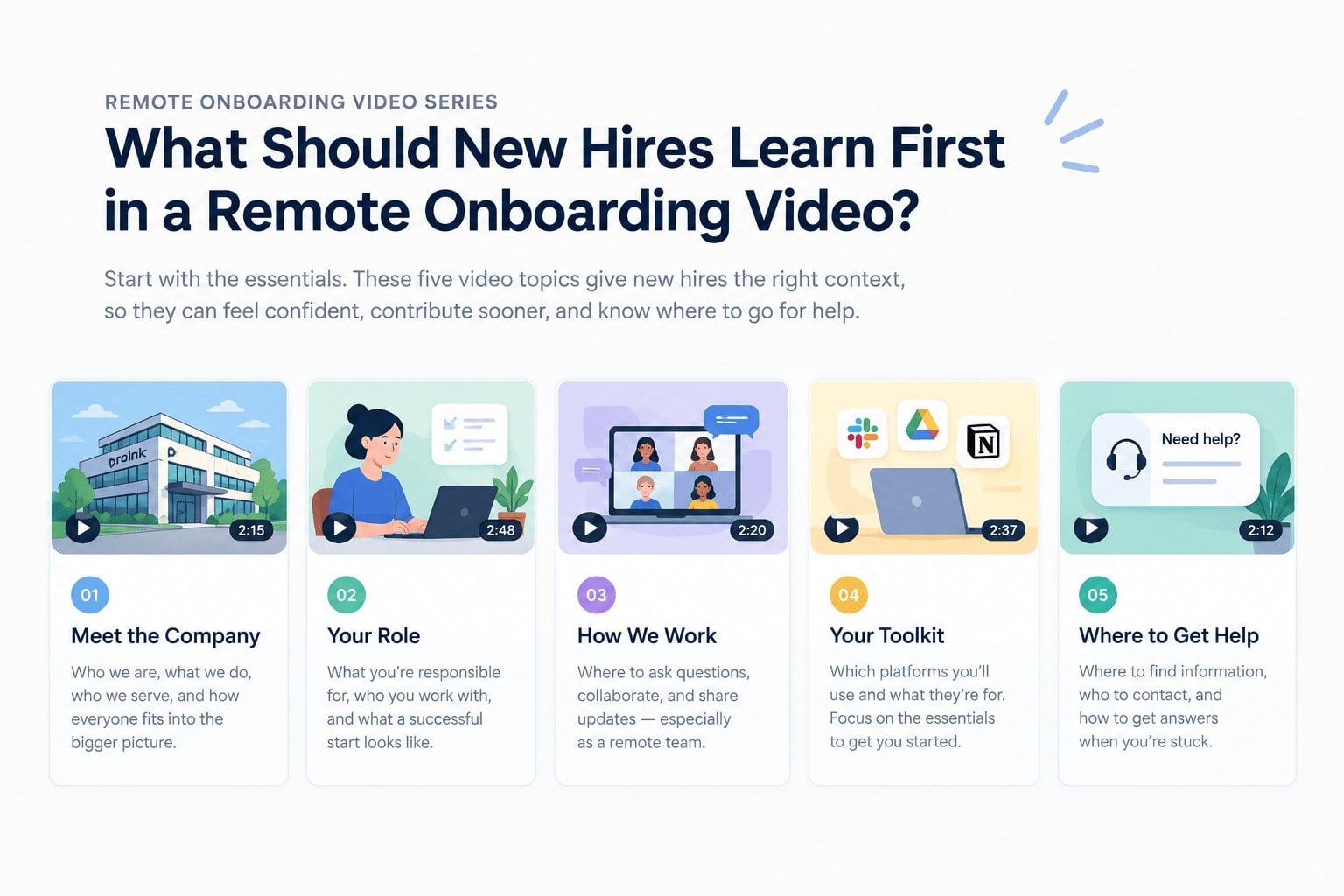 That makes the first few pieces of onboarding content especially important. They should answer the questions a new hire is most likely to have when they start, without turning the video into a 30-minute company lecture.
I usually think about it in terms of context first, details later. A new employee needs to understand where they are, what they are responsible for, how the team works, and where to go when they need help. From there, you can get more specific.
What Is the Company and How Does It Work?
Before getting into tools and procedures, give new hires a quick sense of the company itself. What does the company do? Who does it serve? How does their team fit into the bigger picture?
This doesn’t need to become a history lesson, though. Keep it focused on information that helps someone understand why their work matters.
For example, Prolink uses a straightforward welcome video where the CEO and managers introduce the company and briefly explain what they do.
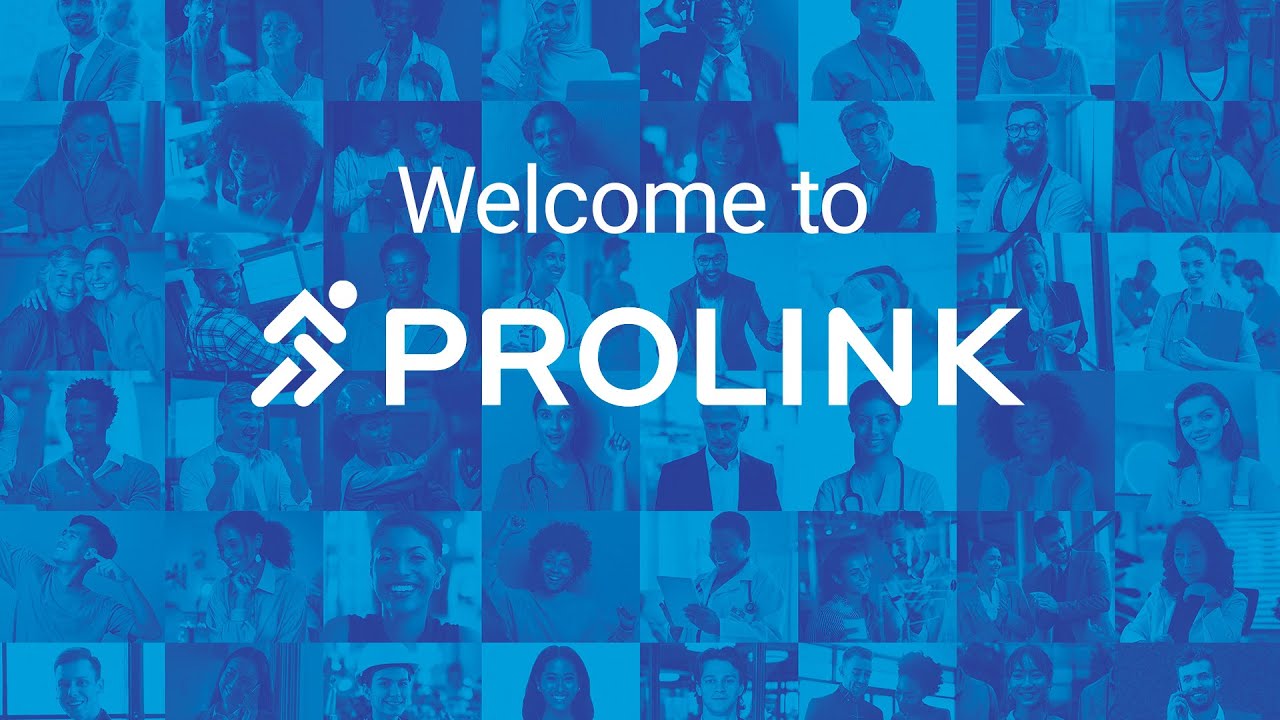
There’s nothing overly complicated about it. Hearing directly from people who have been part of the company gives new employees a more personal introduction and helps put the rest of their onboarding into context.
What Is the New Hire Responsible For?
The next priority is their own role. New hires should come away from the video knowing what they are expected to do and what a successful first few weeks might look like.
This is where I’d avoid vague statements like “you’ll be an important part of the team.” They sound nice, but they don’t tell someone what to actually do.
Instead, explain their main responsibilities, who they work with, and which tasks they will likely handle first. If there are clear goals or milestones for the first month, this is a good place to introduce them. They don’t need every detail yet. They need a starting point.
How Does the Remote Team Communicate?
This is one area I’d give more attention to with remote employees. When everyone works from different places, people need to know how communication actually happens.
Which tool is used for quick questions? Where do project discussions happen? When should someone send a message instead of scheduling a meeting? Who should they contact when something is urgent?
These details may seem obvious to people who have been with the company for years. They aren’t obvious to someone in their first week.
At Breadnbeyond, clear communication matters because so much of our work involves moving projects between different people. A new hire needs to understand that rhythm early, especially when they can’t simply walk over to ask someone something.
Which Tools Will They Use Every Day?
Once they understand how the team communicates, introduce the tools they will actually use. Keep this part focused.
A common mistake is trying to explain every platform the company uses during onboarding. That can leave a new hire with ten new passwords and very little idea of what to do with them.
Start with the essentials. Show where they log in, what each tool is used for, and where they can find the information they need.
You can always introduce the less frequently used tools later. The first video should help them get moving, not make them memorize the entire tech stack.
Where Can They Find Help?
Finally, make it clear where new hires should go when they get stuck. Remote employees can’t rely on overhearing a conversation or seeing who looks available in the office.
Show them where important documents live, who they can contact, and where common questions are answered. If your company has a knowledge base, project documentation, or internal guide, point them toward it.
I think this is one of the simplest ways to make remote onboarding feel less isolating. People are much more comfortable asking for help when they already know where to look.
How Can Onboarding Videos Make Remote Training Easier?
Onboarding videos give remote employees a consistent way to learn processes, revisit instructions, and understand how work is done without waiting for someone to explain it. They also give managers a reusable resource when the same questions come up again.
For me, the biggest advantage of video is simple: people can see how something works instead of trying to understand it from a block of text.
That matters when you’re explaining a workflow, introducing a new tool, or showing how different parts of a team work together.
I wouldn’t turn every piece of onboarding material into a video, though. Some information is better as a document, checklist, or quick message. Video works best when showing something visually makes the explanation easier.
New Hires Can Learn at Their Own Pace
One thing I like about onboarding videos is that they don’t require everyone to learn at exactly the same speed.
A new hire can pause the video, replay a section, or come back to it later. That’s especially useful for remote employees who may be going through onboarding alongside meetings, introductions, and their first assignments.
There’s less pressure to remember everything immediately.
It also gives quieter employees some breathing room. They don’t have to interrupt a meeting just because they missed one detail.
Complex Processes Are Easier to Show
Some processes are difficult to explain with text alone. You can write out ten steps, but a quick screen recording can sometimes explain the same thing in a few minutes.
For example, if a new employee needs to learn how to move a project from one stage to another, showing the actual workflow can make more sense than describing every click.
This is where video has a real advantage.
At Breadnbeyond, we’re used to thinking about how information can be communicated visually. The same principle applies to internal training. If seeing something makes it easier to understand, video is worth considering.
Managers Don’t Have to Repeat Everything
Remote managers can lose a lot of time answering the same basic questions from different new hires.
Where is this file? How do I submit this? Which tool should I use? Who handles this part of the process?
A short onboarding video can answer those questions before they come up. The manager can then spend more time helping the new hire with things that actually require conversation, judgment, or feedback. That’s a much better use of everyone’s time.
Videos Give New Hires Something to Come Back To
Onboarding doesn’t really stop after the first day. People forget things, especially when they’re learning a lot at once.
A useful onboarding video can become a reference point rather than something that’s watched once and forgotten. A new employee might watch it during their first week, return to it a month later, and eventually stop needing it altogether.
What I’ve Learned From Making Onboarding Videos
After producing explainer videos for years, I’ve become pretty skeptical of the idea that every piece of information needs a video. Sometimes a two-line message or a simple document does the job better.
But onboarding is one area where video can be genuinely useful, especially when the person joining the company is working remotely.
At Breadnbeyond, we’ve worked on onboarding videos that explain everything from company introductions to specific processes. What I like about this type of project is that we’re solving a communication problem first. The animation style, visuals, and production come after that.
A new employee doesn’t need a cinematic introduction to the company. They need something they can understand quickly and refer back to when they get stuck.
That has probably been my biggest takeaway. The best onboarding video isn’t the one with the most impressive production. It’s the one that makes a new employee’s first few days a little less confusing.
FAQs on Employee Onboarding Videos for Remote Teams
When should a remote employee receive their onboarding videos?
Ideally, give them access before their first day if there is useful information they can review in advance. Keep the timing practical, though, so they aren’t expected to complete a long playlist before they’ve even met their team.
Should onboarding videos be mandatory for every employee?
Not necessarily. Some videos may be essential for everyone, while others can be assigned based on a person’s role, department, or level of experience.
How often should employee onboarding videos be updated?
Review them whenever there is a meaningful change to the information they contain. A quick review every six to twelve months can also help catch outdated screenshots, software interfaces, policies, or references.
Can onboarding videos work for employees in different countries?
Yes. You may need to account for differences in time zones, local policies, language, and workplace practices. Using clear language and avoiding unnecessary cultural references can make the videos easier for an international team to follow.
Should remote onboarding videos include quizzes or assessments?
Only when there’s something specific you need to verify. A short quiz can make sense for compliance, security, or policy-related training, but adding quizzes to every onboarding video can make the experience feel more like school than an introduction to a new job.