
Table of Contents ×
- 1 Why Do Sales and Marketing Teams See Video Production Differently?
- 2 What Sales Teams Wish Was Included in Explainer Videos?
- 3 How Sales and Marketing Can Meet in the Middle on Explainer Videos?
- 4 Takeaway: How Do We Know a Video Will Actually Help Sales?
- 5 Mini FAQ: What Your Sales Team Wishes Your Explainer Video Included
Marketing tends to focus on clarity, brand, and how well the story reflects the product. Sales is thinking about what happens after the video ends. Whether the video actually helps them move the conversation forward or just resets it.
At Breadnbeyond, I’m often in the middle of conversations between marketing and sales teams. Both usually come in with solid intentions, but they’re looking at the same video from very different angles.
It’s a bit like the Avengers arguing over the plan. Everyone wants to save the day, but they’re focused on different battles.
It usually explains why a video gets approved internally, but doesn’t get used much in real sales conversations. So, I’m writing this to break down what sales teams actually wish were inside those videos.
Why Do Sales and Marketing Teams See Video Production Differently?
That difference shows up in how each team judges an explainer video. One is focused on messaging and structure, the other is focused on real conversations and objections. Both are valid, but they rarely translate the same way once the video is out in the field.
According to HubSpot’s State of Marketing 2024 report, only 35% of marketers say their sales and marketing teams are strongly aligned. It’s a reminder that even teams working toward the same business goals often approach content from very different perspectives.
Sales and marketing teams are usually working toward the same goal, but they don’t interact with the product in the same way.
- Marketing looks at how well the story is told
- Sales looks at what happens when that story meets a real prospect
A common example is how product complexity gets handled. Marketing teams usually want the explainer video to feel clean and simple, so they trim down details and focus on a smooth narrative.
Sales teams often see it differently. When they’re on a call, prospects don’t say “that looks simple,” they ask things like how it actually works with their existing setup or what happens in edge cases. If the video skips those moments entirely, the sales rep ends up filling in the gaps themselves.
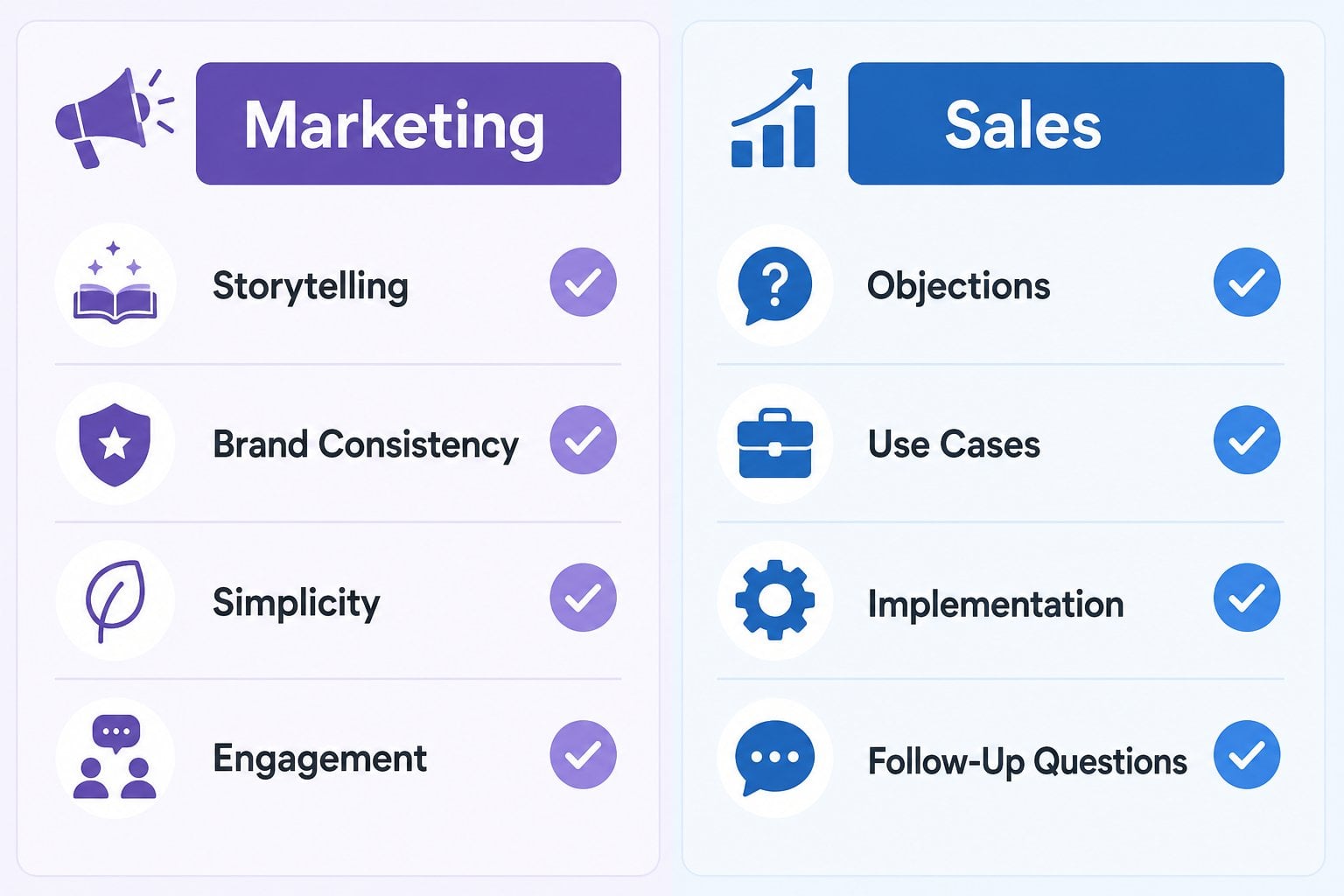 So which perspective should matter more? The honest answer is neither on its own.
A video that only satisfies marketing can feel incomplete in real conversations, but a video built only around sales input can lose the clarity and coherence that makes it effective in the first place. The stronger outcome usually comes from treating both as constraints.

What Sales Teams Wish Was Included in Explainer Videos?
Sales teams don’t usually ask for longer explainer videos. They ask for videos that help them handle real conversations without starting from zero every time. When something is missing, they feel it immediately on a live call.
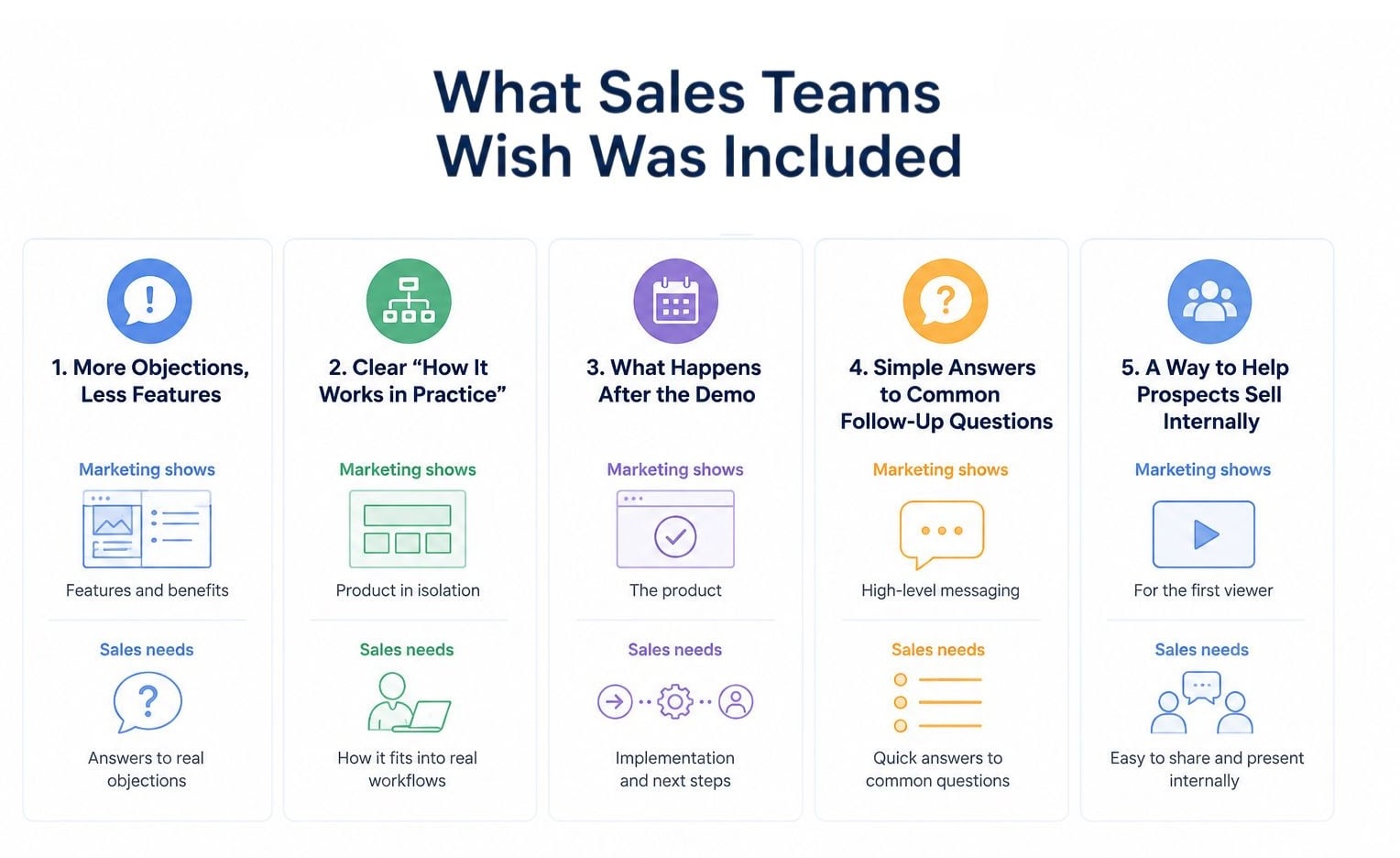 Most of the gaps are predictable. They show up in objections, in follow-up questions, and in the moments where a prospect pauses and says, “Wait, how does that actually work?”
1. More Objections, Less Features
This is where most explainer videos stay a bit too clean. Marketing teams naturally want to present the product in its best light, so the story leans toward features and benefits.
Sales reps don’t get that version of the conversation. They’re more likely to focus on the possibility of hesitation and skepticism. Things like “Does this integrate with what we already use?” or “What happens if it breaks at scale?”
When a video never acknowledges those concerns, it doesn’t remove them. It just pushes them into the sales call. So that means the rep has to rebuild trust from scratch, even after the prospect has already watched the video.
A better approach is to quietly show that they were expected, and not to dramatize objections. Even one line or moment in the video that signals awareness of real-world concerns changes how usable it becomes.
2. Clear “How It Works in Practice” Moments
Most explainer videos do a good job showing what the product is. Fewer show what it feels like to actually use it in a real workflow.
Sales teams notice this immediately. On calls, prospects rarely ask for feature lists. They ask how it fits into what they already do on a Tuesday morning when things are busy and messy.
If the video only shows isolated screens or polished UI transitions, sales ends up bridging that gap every time. It slows things down. It also creates inconsistency, because every rep explains it slightly differently.
What works better is a short, grounded moment that shows context. Not a full tutorial, just enough to make the product feel like part of an existing routine instead of something floating on its own.
3. What Happens After the Demo
This is the part that often gets treated as “later,” but for sales teams, it shows up immediately in conversations.
Prospects want to know what happens after they say yes. Setup time, onboarding effort, integration steps. Sometimes even internal approval questions that haven’t been voiced yet.
If the explainer video stops at “here’s what the product does,” the sales rep becomes the translator for everything beyond that point. That adds friction to every deal stage.
It doesn’t need to be detailed. Just enough to show that implementation is a real, considered part of the product experience. A simple visual hint of what comes next can help.
4. Simple Answers to Common Follow-Up Questions
Every sales team has a mental list of questions they know will come up in the first five minutes after sharing a video, such as:
- Pricing structure
- Compatibility
- Limitations
- Security
- Basic but unavoidable topics
When none of those are touched on, the video becomes less reusable. Sales reps still send it, but they know it will trigger another round of explanation right after.
The goal is to reduce or even eliminate repetition. Even small hints or visual cues can prevent the same questions from being asked over and over again.
The most useful videos are the ones that reduce how much a salesperson has to repeat themselves in every conversation.
5. A Way to Help Prospects Sell Internally
A lot of deals don’t stall just because the prospect isn’t interested. They stall because the prospect has to explain it to someone else inside their company.
Sales teams feel this immediately. They’ll share a video, and then hear, “I still need to convince my manager,” or “I’ll forward this to procurement.”
If the explainer video only speaks to the first viewer, it stops being a sales tool and becomes a personal reference. What helps more is when the video is structured in a way that a prospect can replay it to someone else without needing extra explanation.
Clear positioning, simple framing, and a storyline that can stand on its own inside an internal discussion. That’s usually what separates a “watched it” video from a “shared it in the meeting” video.
How Sales and Marketing Can Meet in the Middle on Explainer Videos?
In most projects, the tension between sales and marketing doesn’t come from disagreement. It comes from different priorities showing up in the same timeline.
Marketing is usually thinking about consistency, clarity, and how the video represents the brand at scale. Sales is thinking about the next call, the next objection, and the next time they have to explain the product in their own words.
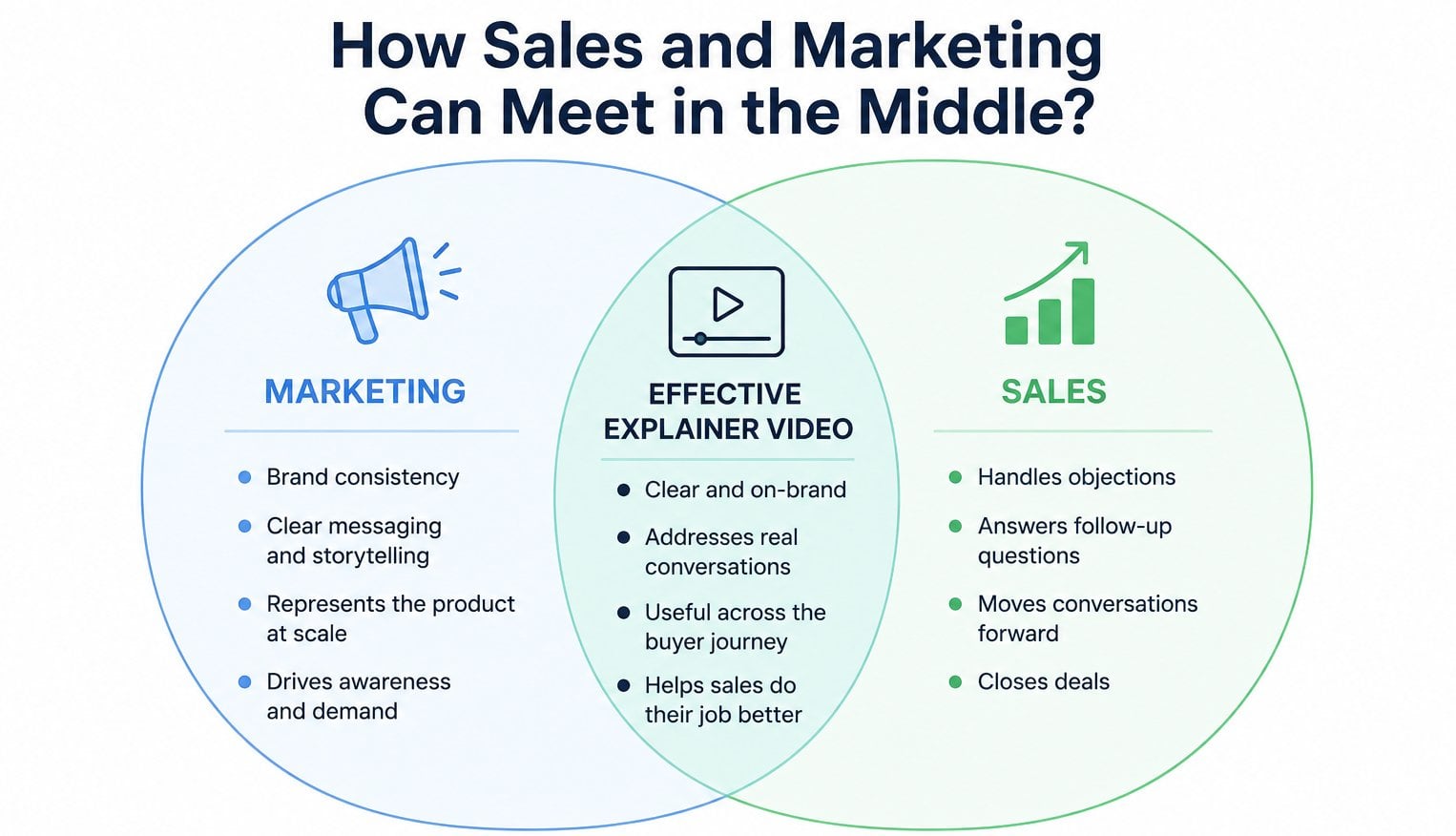
When those two perspectives are treated separately, the video ends up sitting in the middle, serving neither side fully.
1. Start With Sales Conversations
The easiest way to close the gap is to reverse the starting point. Instead of beginning with “what do we want to say,” start with “what do prospects usually ask right after they watch this?”
That shift changes the script. It pulls the video closer to real conversations instead of internal narratives. When I’ve seen teams do this early, fewer revisions happen later because sales objections are already baked into the structure.
Read: Why Do Video Projects Suddenly Get So Expensive?
2. Keep the Brand, but Don’t Let It Lead Everything
Brand consistency matters. No one is arguing that. But when it becomes the main filter for every scene, the video starts losing usefulness in live sales situations.
The best balance I’ve seen is when brand guides shape the tone, but don’t control the entire story. Sales teams don’t need a perfect brand film. They need something they can confidently send to a prospect without explaining it afterward.
3. Build for Reuse in Real Sales Conversations
A video works better when it can survive outside the website context. That means it should hold up inside an email, during a demo follow-up, or even as a quick explanation before a call.
When we design with that in mind at Breadnbeyond, we often trim abstract storytelling and add clearer situational anchors. So not more content, but more usability.
4. Agree on What the Video Is Not Trying to Do
A lot of friction disappears when both teams agree on limits early. The video won’t answer everything. It won’t replace a sales call, and it won’t eliminate objections either.
Once that expectation is clear, the focus shifts. Instead of trying to make the video complete, both teams start aiming for something more practical: a tool that makes the next conversation easier.
Takeaway: How Do We Know a Video Will Actually Help Sales?
When I look back at projects that actually helped sales teams, it was rarely obvious during the kickoff or even at final review. It usually became clear only after the video was used in real conversations.
At Breadnbeyond, I’ve learned that the answer to whether a video will help sales isn’t found in how polished it looks or how well it performs in a presentation. It shows up later, when a rep sends it to a prospect and doesn’t need to step in and explain what it missed.
That’s the real signal. If the video can hold its own in that moment, it’s doing its job. If it creates more questions than it answers, the sales team ends up carrying the weight instead.
Mini FAQ: What Your Sales Team Wishes Your Explainer Video Included
When should sales be involved in the explainer video process?
Early is best, ideally during the script or messaging stage. At that point, feedback is still easy to incorporate without disrupting the creative direction later.
What role should marketing play in an explainer video project?
Marketing usually leads the messaging, positioning, and brand alignment. They help make sure the video stays consistent with how the company presents itself across channels.
Should sales and marketing approve the script together?
Yes, but not necessarily at the same time. Sequential feedback often works better, starting with messaging alignment before moving into detailed review.
What happens if only one team is involved in production?
The process is usually faster, but revisions tend to increase later. It can also lead to internal back-and-forth after the video is already finished.
How can feedback from both teams be managed without slowing the project down?
The key is structuring feedback rounds instead of collecting comments continuously. Clear checkpoints help keep the process controlled without losing input from either side.