Table of Contents ×
- 1 When Do You Need Employee Training Videos?
- 1.1 1. Your Managers Keep Explaining the Same Thing
- 1.2 2. Every New Hire Gets a Slightly Different Explanation
- 1.3 3. Your SOPs Are Sitting There Unread
- 1.4 4. Important Knowledge Lives Inside One Person’s Head
- 1.5 5. New Employees Take Too Long to Get Up to Speed
- 1.6 6. Your Processes Keep Changing
- 1.7 7. You’re Spending Too Much Time Training Instead of Managing
- 2 What Should You Turn Into an Employee Training Video?
- 3 Ready to Make Your Employee Training Easier?
- 4 Frequently Asked Questions About Employee Training Videos
As a business owner myself, I can relate that employee training gets harder as a company grows. With a small team, you can simply pull someone aside and explain things. But when the same questions keep coming back, that approach starts eating into everyone’s time.
LinkedIn Learning’s 2025 Workplace Learning Report found that 49% of L&D professionals say executives are concerned employees don’t have the right skills for their business strategy.
That’s why we help businesses simplify onboarding with employee training videos. But even though I make animated videos for a living, I don’t think everything needs to be a video.
Some things are easier to explain with a video, while others work better as a document or quick conversation. This article will help you figure out when a training video is actually worth making.
When Do You Need Employee Training Videos?
Employee training videos will be a big help if your team keeps repeating the same training, new hires struggle to get up to speed, or important knowledge depends on a few people. The bigger your team gets, the more useful a consistent, easy-to-access training resource becomes.
1. Your Managers Keep Explaining the Same Thing
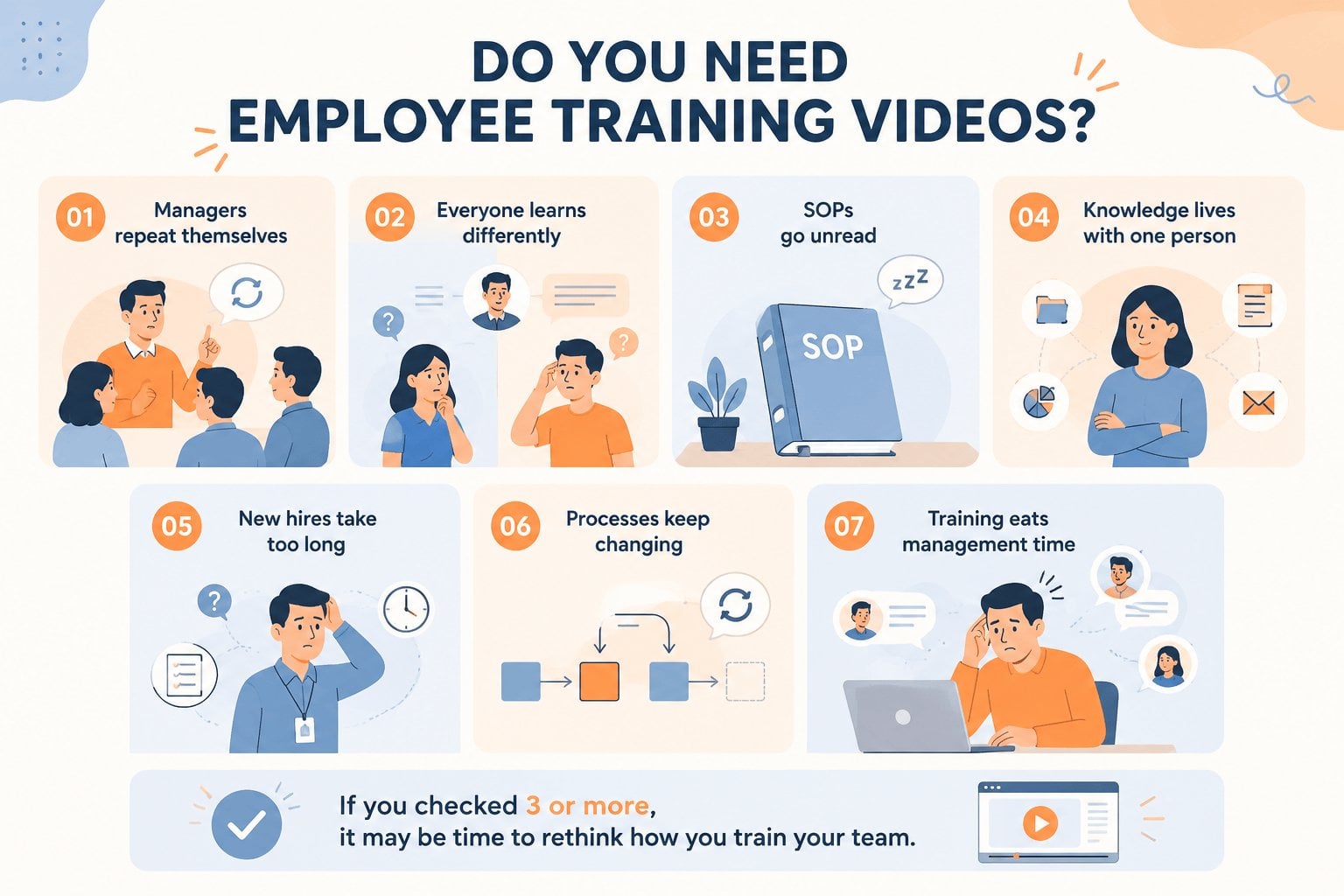
This is probably the easiest sign to spot. If managers are repeatedly walking new employees through the same process, answering the same questions, or demonstrating the same task, you’re using valuable people to deliver the same information over and over.
I’ve seen this happen with everything from onboarding to internal software. Someone knows how to do something well, so they become the unofficial trainer. It works for a while.
Then the team grows.
A short training video can take some of that repetition off their plate. The manager can still step in when someone needs help, but they don’t have to start from zero every time.
2. Every New Hire Gets a Slightly Different Explanation
Two employees can join the same company and somehow come away with completely different ideas about how a process works.
That usually happens when training is mostly verbal. One manager explains it one way. Another person adds their own shortcut. Someone forgets an important step.
Nobody is necessarily doing anything wrong. It’s just hard to keep training consistent when people are the training material. A video gives everyone the same starting point, especially for processes that need to be followed in a particular way.
3. Your SOPs Are Sitting There Unread
I’m a big fan of documentation. But I also know how people behave when they’re busy. A 20-page SOP can contain everything an employee needs to know. That doesn’t mean they’re going to read it carefully.
This is where video can help. Instead of asking someone to work through a long document, you can show the process in a few minutes and explain the parts that actually matter.
The SOP can still exist. Video simply makes it easier to consume.
4. Important Knowledge Lives Inside One Person’s Head
This one can get expensive. Maybe there’s one employee who knows exactly how to handle a particular client request. Someone else knows the weird workaround in your internal system. Another person knows the process that nobody bothered to document.
As long as those people stay around, things usually work. But what happens when they’re on vacation? Or move to another role? Or leave the company?
I’ve learned that knowledge becomes much more valuable when it can be passed around. Training videos are one practical way to capture that knowledge before it walks out the door.
5. New Employees Take Too Long to Get Up to Speed
There’s a difference between giving someone time to learn and making them figure everything out themselves.
If new employees spend their first few weeks constantly asking where things are, how something works, or what they’re supposed to do next, your onboarding process may need some work.
A training video won’t magically make someone productive on day one. It can, however, give them a useful reference while they’re getting familiar with the company.
That matters. They can watch it again without feeling like they’re bothering someone.
6. Your Processes Keep Changing
This one is easy to overlook. You introduce new software. A department changes its workflow. The sales team updates its process. Suddenly, the training someone received six months ago is partly wrong.
Traditional training can be difficult to keep up with when processes change frequently. You have to update documents, brief managers, and make sure everyone gets the new information.
With video, you still have to update the content. But you have a clear training asset to revise when something important changes.
At Breadnbeyond, we deal with this kind of thing all the time when creating videos for clients. A good training video starts with a process that is clear enough to explain and stable enough to document.
7. You’re Spending Too Much Time Training Instead of Managing
This is probably the sign I’d take most seriously as a founder. Your managers should be helping people solve problems, make decisions, and improve their work. They shouldn’t spend half their week giving the same introductory lesson to every new employee.
Training is part of management. Repetitive training doesn’t have to be. If you’re seeing this pattern, that’s when I’d start looking at which parts of your training could be turned into short, focused videos. Not everything needs one. Start with the things your team keeps explaining.

What Should You Turn Into an Employee Training Video?
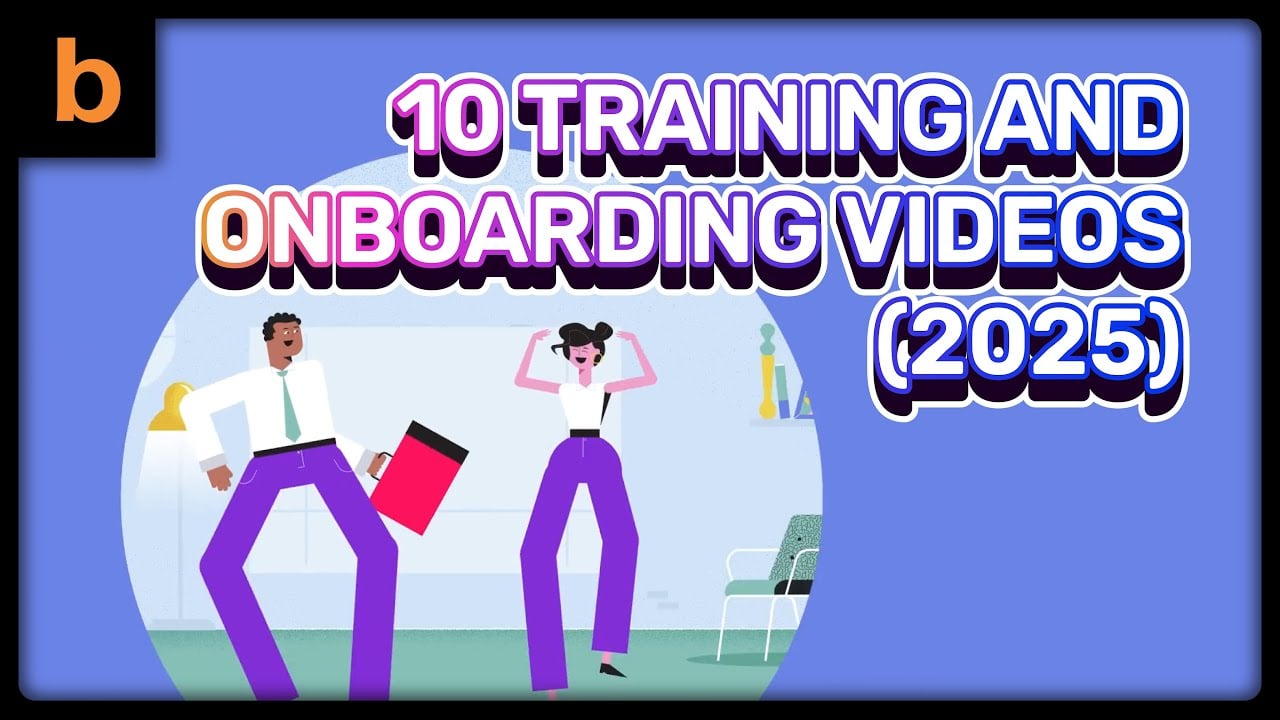
Start with training that is repeated often, follows a clear process, or is difficult to explain consistently. You don’t need a video for every piece of information your employees need. I’ve compiled some of our work in this employee training showreel to give you a better idea of what these videos can look like in practice.
Start With the Training Your Team Repeats Most
If I were deciding where to start, I wouldn’t try to turn the entire employee handbook into video. That’s a lot of work.
I’d look at what your team explains repeatedly. Maybe it’s how to use your CRM, how to handle a customer complaint, how to submit an expense, or how to follow a particular production process.
Those are good candidates because you already know there’s a demand for the information. Someone keeps asking for it. This is one of the things I look for when talking to clients about training videos. I’m less interested in whether a topic sounds important and more interested in whether people actually need help understanding it.
Keep Complicated Processes Visual
Some things are easy to explain in a document. Others aren’t. If an employee needs to click through several screens, follow a sequence of steps, operate equipment, or understand how different parts of a process fit together, showing them can be much easier than describing everything in writing.
That’s where video has an advantage. You can show the screen. You can point out exactly where someone needs to click. You can demonstrate the correct way to do something and highlight the mistakes people commonly make.
Keep the scope tight. One video can cover one task or one part of a workflow. Employees can then come back to it when they need a refresher, instead of searching through a massive training document.
Don’t Make a Video Just for the Sake of It
This is probably the most important advice I can give. Video isn’t automatically better. If something can be explained clearly in three sentences, write the three sentences. There’s no reason to spend time and money producing a video for it.
I’d also avoid making one giant training video that tries to cover everything. Nobody wants to sit through a 45-minute lecture just to find the two minutes they actually need.
Shorter videos usually work better. Think about what the employee needs to know, what they need to do, and where they’re most likely to get stuck. Then build the video around that.
That’s how I’d approach employee training videos as a business owner. Start with a problem that keeps happening, find the information people need repeatedly, and turn that specific piece of knowledge into something your team can access whenever they need it.
You don’t need a video library overnight. Start with one useful video and build from there.
Ready to Make Your Employee Training Easier?
You need someone to understand what the employee actually needs to learn, then turn that information into something clear, engaging, and easy to follow. That’s what we do at Breadnbeyond.
We help companies turn their training material, internal processes, and subject-matter expertise into animated explainer videos that are easier to communicate and easier to use. Our team handles the scripting, storyboarding, illustration, animation, and production, so you don’t have to piece everything together yourself.
Clients also come to us because they want more than a pretty animation. They want a video that makes sense to the person watching it. That distinction matters to me.
If you’re considering employee training videos and already have a process or topic in mind, Breadnbeyond can help you turn it into a polished animated video your team can actually use.
Frequently Asked Questions About Employee Training Videos
How long should an employee training video be?
There’s no magic number. I generally prefer keeping each video focused enough that employees can finish it in one sitting without losing track of the main point.
Should employee training videos be animated or live action?
It depends on the subject. Animation can work especially well when the topic involves abstract ideas, internal workflows, software concepts, or situations that would be difficult or expensive to film.
Who should appear in an employee training video?
You don’t necessarily need an executive, manager, or employee on screen. A narrator, animated characters, screen recordings, or a combination can work depending on what you’re trying to communicate.
Can employee training videos be used for remote teams?
Absolutely. Digital training content can be accessed wherever your employees work, which makes it useful for teams spread across different offices, cities, or time zones.
Should employee training videos include quizzes or assessments?
They can, particularly when employees need to demonstrate that they understood the material. For simpler internal topics, though, an assessment may add unnecessary friction.