
Table of Contents ×
- 1 What Is a Healthcare SaaS Explainer Video?
- 2 Why Do Healthcare SaaS Companies Use Explainer Videos?
- 3 What Can You Simplify in Healthcare SaaS Explainer Videos?
- 4 What Shouldn’t You Oversimplify in Healthcare SaaS Videos?
- 5 How to Make Healthcare SaaS Explainer Videos Clear and Accurate
- 6 Conclusion: Simplify Healthcare SaaS Without Losing Accuracy
- 7 FAQs About Healthcare SaaS Explainer Videos
Healthcare software can solve complex problems and often involves technical features, sensitive data, and workflows that users need to understand before adopting them.
But explaining how a SaaS healthcare innovation works isn’t always easy.
According to a 2025 report, 65% of U.S. individuals accessed their online medical records or patient portal in 2024.
For healthcare SaaS companies, this is a useful reminder to consider how people navigate and understand digital healthcare experiences.
Explainer videos can bridge that gap by turning complicated processes into clear, engaging visual stories.
I’ll explain how healthcare SaaS explainer videos work, which concepts you can simplify, and how to communicate complex software features without compromising medical accuracy or transparency.
What Is a Healthcare SaaS Explainer Video?
A healthcare SaaS explainer video is a short video that shows how a cloud-based healthcare software product works, what problems it solves, and how its features benefit users. It often combines animation, narration, text, and interface demonstrations to make technical concepts easier to understand.
Here is an example from our project at Breadnbeyond that explains Cloud-SaaS healthcare through 2D animation.
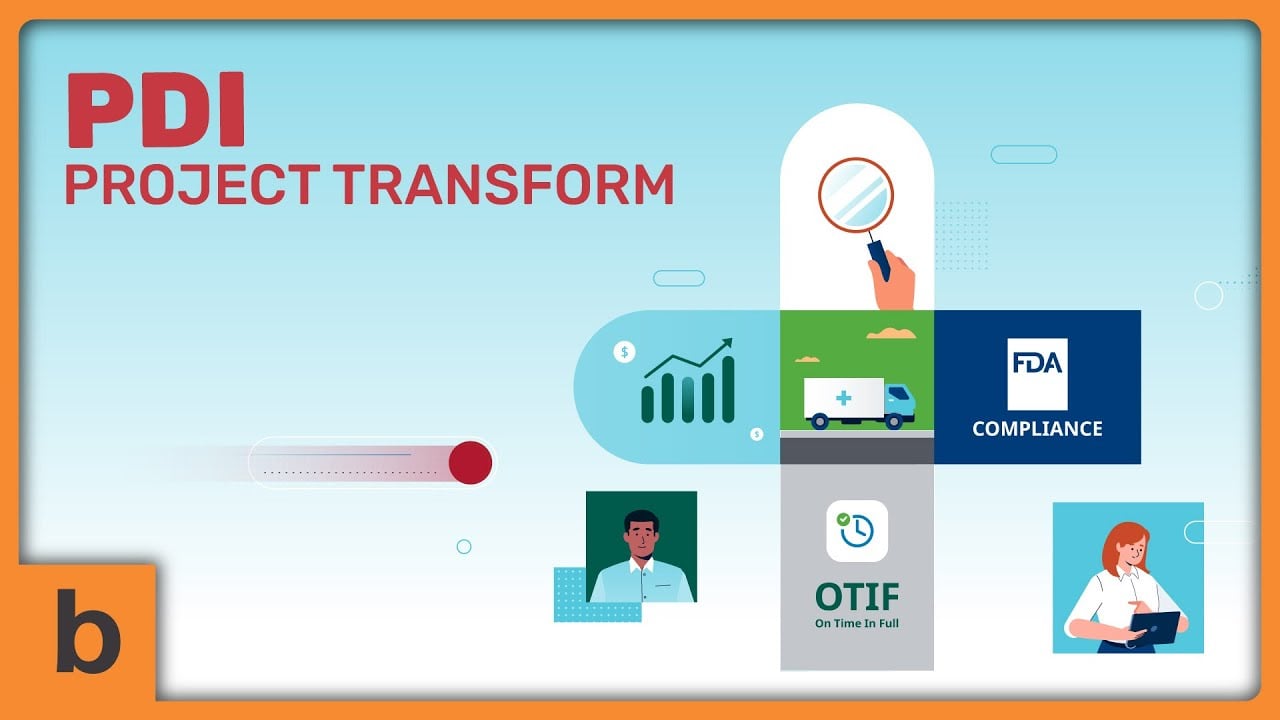
Instead of describing every step in a block of text, the video shows the process visually.
Healthcare SaaS explainer videos can serve different audiences, including healthcare professionals, hospital administrators, patients, and healthcare IT teams.
The content and level of technical detail should match each audience’s needs.
Why Do Healthcare SaaS Companies Use Explainer Videos?
Healthcare explainer videos help audiences understand complex features, visualize software workflows, and recognize a product’s value without getting lost in technical details. Also, they can be addressed to paramedics and patients.
Here are three ways these videos can help healthcare SaaS companies communicate more effectively.
1. Make Complex Software Features Easier to Understand
Healthcare software often includes multiple features, integrations, and processes that can be difficult to explain through text alone.
Explainer videos break these elements into smaller, easier-to-follow steps.
For instance, a video about electronic health record (EHR) software can show how patient information moves between different parts of a system.
Viewers can follow the workflow instead of trying to understand a lengthy technical explanation.
2. Communicate Product Value to Different Audiences
Healthcare SaaS products often serve several stakeholders, each with different priorities.
Clinicians may want to understand how a platform fits into their daily work, while administrators may care more about operational efficiency and reporting capabilities.
Explainer videos allow companies to tailor their messaging to these needs.
A video can demonstrate a specific workflow, highlight relevant features, and explain how the product addresses a particular problem without overwhelming viewers with information they don’t need.
3. Show How the Software Works in Practice
Visual demonstrations help audiences understand how features connect and how users interact with a product.
Animation, screen recordings, and interface mockups can illustrate processes that are difficult to describe in writing.
For example, a healthcare SaaS company could use an animated sequence to demonstrate how an appointment booking system sends confirmations and updates schedules. This is what we created for PrescriberPoint:
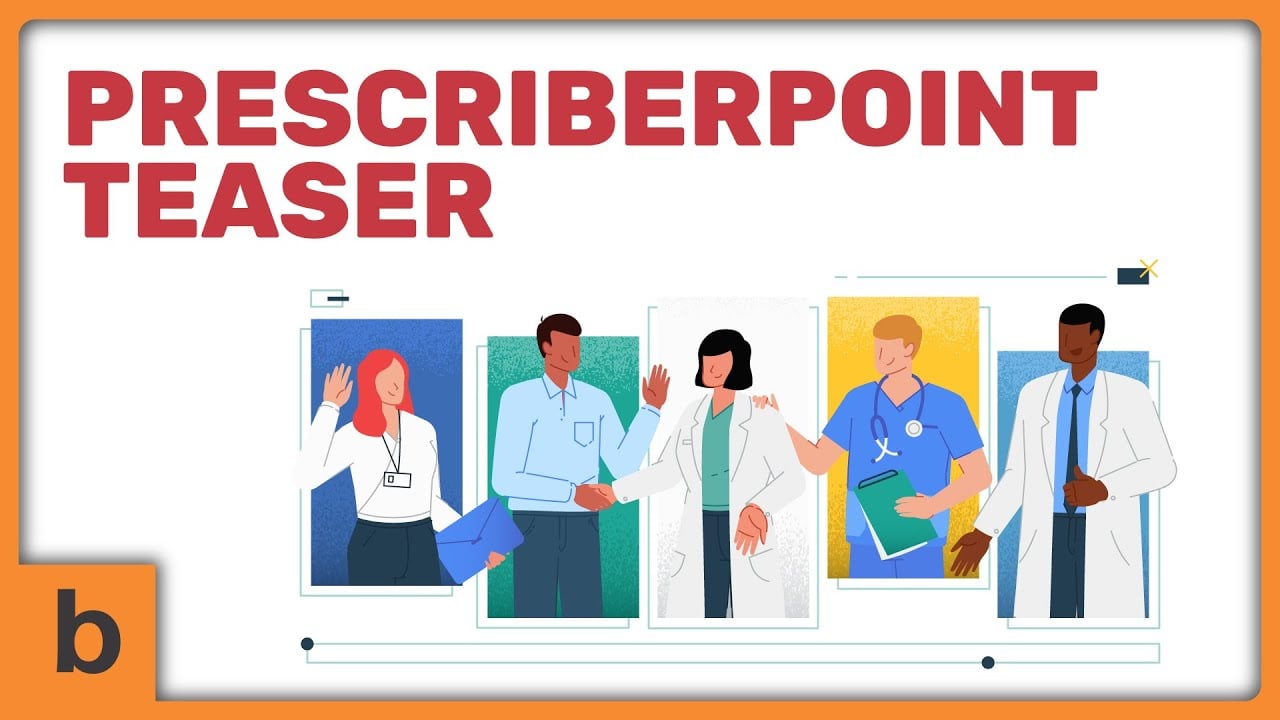
This makes the process easier to follow while helping prospective customers understand what to expect from the software.
However, clarity should never come at the expense of accuracy.
Healthcare SaaS videos should represent product capabilities honestly, avoid unsupported medical claims, and use dummy or properly sanitized data when showing patient information.
What Can You Simplify in Healthcare SaaS Explainer Videos?
In healthcare SaaS explainer videos, you can simplify complex software features, healthcare workflows, technical terminology, and product benefits. The trick is to make the information easier to follow without changing what the software actually does.
When I approach an explainer video at Breadnbeyond, I focus on what the audience needs to understand first. Here’s how I’d approach the main elements of a healthcare SaaS video.
1. Complex Software Features
Dashboards, integrations, and automated processes can look intimidating when you show everything at once.
Instead, break them into clear visual steps that explain how each feature works and why it matters.
An explainer video for healthcare analytics software could show how information appears on a dashboard, how users filter the data, and how they access relevant reports.
You don’t need to explain every button or technical function in the same video.
My advice is to focus on one core feature or use case at a time.
If a product has several complex functions, consider creating a series of short videos instead of squeezing everything into one.
2. Healthcare Workflows
Healthcare workflows are easier to understand when viewers can see how one action leads to another.
Animation and interface demonstrations can illustrate processes such as appointment scheduling, patient onboarding, and electronic health record (EHR) management.
A video about patient onboarding software could show a new patient completing a registration form, submitting the required information, and receiving confirmation.
Each step becomes easier to follow when viewers can see the process unfold.
However, make sure the visuals reflect the product’s actual workflow.
If a process requires user approval or additional verification, don’t remove those steps just to make the animation look simpler.
3. Technical Terminology
Healthcare SaaS products often use technical terms that make sense to developers or healthcare professionals but may confuse other audiences.
You can replace unnecessary jargon with everyday language while keeping essential medical and technical terms intact.
I wouldn’t remove every technical term, though.
If your audience consists of healthcare IT professionals, some terminology may be necessary.
Explain unfamiliar terms when needed and adjust the language to the audience’s level of expertise.
4. Product Benefits
Product features explain what software does. Benefits explain why those features matter to users.
An effective explainer video connects the two instead of simply listing capabilities.
Rather than showing that scheduling software has an automated reminder feature, demonstrate how it sends appointment reminders to help staff manage communications more efficiently.
Be careful with the claims you make.
You can highlight a product’s intended benefits, but claims about reduced administrative time, fewer errors, or improved patient outcomes should be supported by appropriate evidence.
When the video is executed well, it can also be a good asset for healthcare marketing asset.
What Shouldn’t You Oversimplify in Healthcare SaaS Videos?
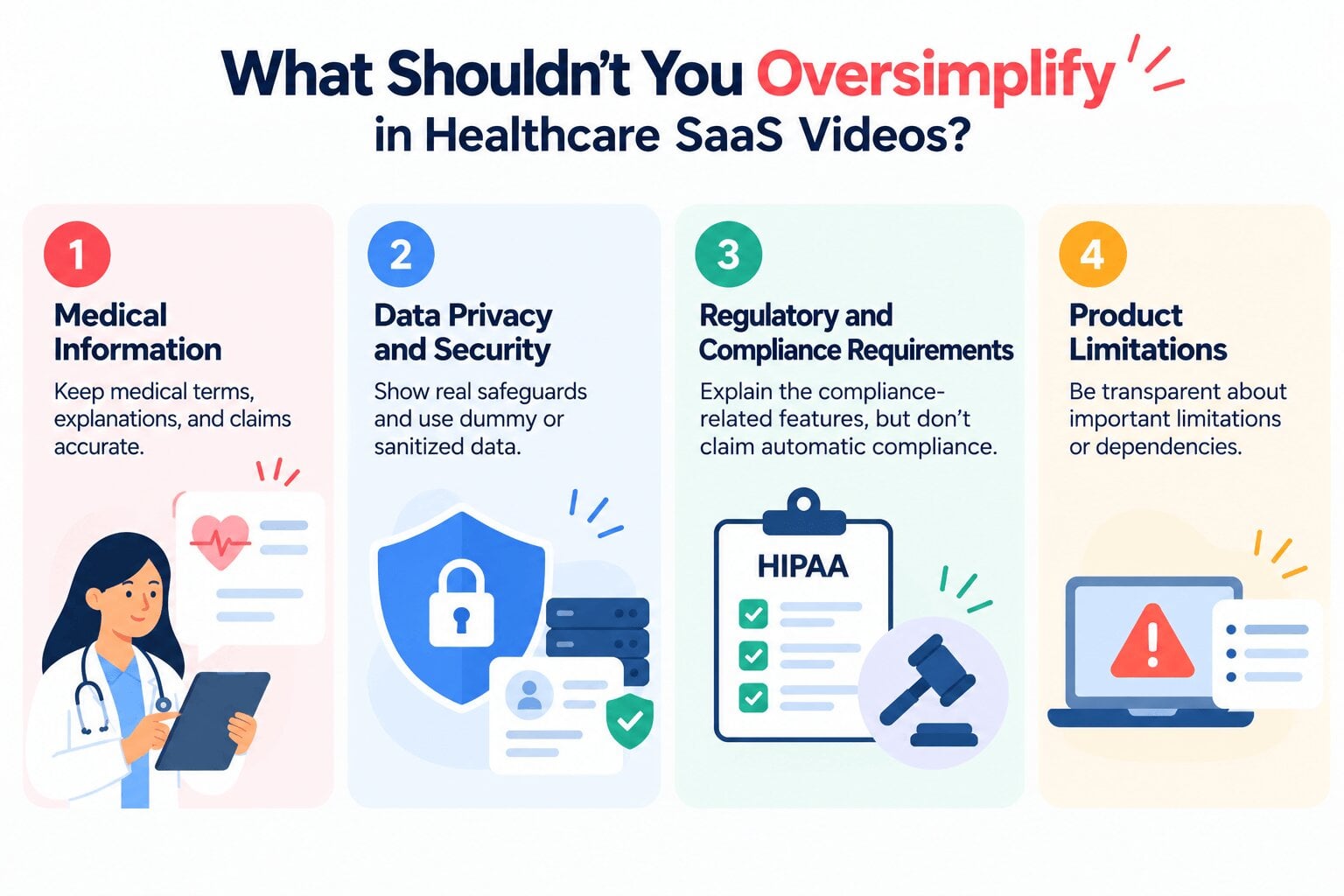
You shouldn’t oversimplify medical information, data privacy and security, regulatory requirements, or product limitations in healthcare SaaS videos. These details affect how people understand and use the software, so removing important context can mislead viewers.
Simplifying a message is useful, but accuracy comes first. Here are four areas where I’d be particularly careful when planning a healthcare SaaS explainer video.
1. Medical Information
Medical terminology, clinical explanations, and health-related claims must remain accurate, even when you’re explaining them in plain language.
A video about clinical decision support software can explain how the platform helps healthcare professionals review relevant information.
However, it shouldn’t suggest that the software independently makes every clinical decision or guarantees a particular patient outcome unless those claims are accurate and properly substantiated.
I’d also recommend having a qualified subject-matter expert review the script before production.
A phrase that sounds harmless from a marketing perspective could mean something different in a clinical context.
2. Data Privacy and Security
Healthcare software may handle sensitive patient information, making privacy and security essential parts of the message.
Videos can explain relevant safeguards, such as access controls, authentication, and encryption, when those features are actually supported by the product.
What you shouldn’t do is turn those safeguards into blanket promises.
For example, saying a platform uses encryption doesn’t automatically mean every aspect of its data handling is secure or compliant with all applicable requirements.
When demonstrating the software, use dummy or properly sanitized data rather than exposing real patient records.
This keeps the video useful without introducing unnecessary privacy risks.
3. Regulatory and Compliance Requirements
Healthcare SaaS companies may need to address requirements related to patient privacy, information security, medical software, or healthcare operations, depending on their product and target market.
An explainer video can help viewers understand the compliance-related features a product supports.
However, avoid claiming that using the software automatically makes an organization compliant with every applicable regulation.
Keep compliance claims specific, accurate, and appropriate to the product’s actual capabilities.
4. Product Limitations
Every software product has limitations, dependencies, and conditions that affect how it works.
An explainer video shouldn’t hide these details just to make the product appear more impressive.
You don’t need to turn a short explainer into a technical manual.
Highlight limitations that could affect a user’s expectations or decisions, then direct viewers to the relevant documentation for more detail.

How to Make Healthcare SaaS Explainer Videos Clear and Accurate
To make healthcare SaaS explainer videos clear and accurate, start with the right audience. Then, focus on one core message. Review the script with subject-matter experts and make sure every product claim reflects what the software can actually do.
I believe a good explainer video starts with a clear message. The visuals should make the information easier to understand, while the script keeps the explanation accurate. Here are six steps I’d follow.
1. Define Your Target Audience
Before writing the script, decide who needs to understand your product.
Your audience can be clinicians, patients, hospital administrators, and healthcare IT teams, who each have different priorities and levels of technical knowledge.
Trying to address every audience in one video can make the message too broad.
Start with one primary audience and build the explanation around its most important questions.
2. Focus on One Core Message
A healthcare SaaS platform may have dozens of features, but that doesn’t mean you need to explain all of them in one video.
Choose one main problem, feature, or workflow that viewers should understand by the end.
An explainer video about appointment scheduling software could focus on how users book appointments and manage schedule changes.
Other features can have their own videos.
This approach keeps the narrative focused and gives viewers a clearer reason to care about the product.
3. Use Visuals to Explain Complex Processes
Animation, interface demonstrations, icons, and workflow diagrams can make technical concepts easier to follow.
The key is choosing visuals that explain the message rather than adding movement for its own sake.
If you’re explaining how a healthcare platform processes appointment requests, a simple workflow animation might show a request moving from submission to confirmation.
A screen recording or interface mockup could then demonstrate what the user sees at each stage.
I often see visual storytelling as a way to turn abstract ideas into something people can follow.
4. Write a Plain-Language Script
A clear script uses concise sentences, familiar words, and straightforward explanations.
Replace unnecessary jargon with everyday language. Retain technical terms when they’re important to the audience.
Read the script aloud before production. If a sentence is difficult to understand when spoken, it may need to be shortened or rewritten.
Read more about writing an explainer video script: How Many Words Do 1-Minute Explainer Videos Have?
5. Validate the Content With Subject-Matter Experts
Healthcare content needs more than a marketing review. Have relevant subject-matter experts check medical explanations and product capabilities before the video goes into production.
Depending on the topic, reviewers might include healthcare professionals, product specialists, security teams, or compliance experts.
This step is particularly important when a video discusses clinical decision support, patient data, or health-related outcomes.
A small wording change can affect how viewers interpret a claim.
I’d recommend reviewing the script and storyboard before animation begins.
Correcting a misleading explanation at that stage is generally easier than revising a completed video.
6. Protect Sensitive Information
If your video demonstrates patient records, dashboards, or other healthcare interfaces, use dummy or properly sanitized data.
Avoid exposing identifiable patient information in screen recordings, interface mockups, or background visuals.
Also, check more than the obvious patient names. Dates, record numbers, notifications, and other interface details may reveal sensitive information.
Using fictional data lets you demonstrate the product’s functionality without putting real patient information at risk.
Review the final video to ensure that no sensitive details have slipped into the footage.
Conclusion: Simplify Healthcare SaaS Without Losing Accuracy
Healthcare SaaS explainer videos make complex software easier to understand by breaking down technical features, visualizing workflows, and communicating product benefits in plain language.
However, simplifying the message should never mean compromising medical accuracy, patient privacy, or transparency.
If you’re developing a healthcare SaaS product and struggling to explain what makes it valuable, working with an experienced explainer video production studio can help you turn complex ideas into clear visual stories.
At Breadnbeyond, we create explainer videos that help businesses communicate complex products and services.
Let’s discuss how we can help you explain your healthcare software in a way that’s engaging, easy to follow, and accurate.
FAQs About Healthcare SaaS Explainer Videos
What is a healthcare SaaS explainer video?
A healthcare SaaS explainer video is a short video that explains how cloud-based healthcare software works, what problems it solves, and how its features help users. It can use animation, narration, screen recordings, or interface demonstrations to simplify complex concepts.
What should a healthcare SaaS explainer video include?
A healthcare SaaS explainer video should cover the target audience’s main problem, explain the relevant software features, visually demonstrate how the product works, and highlight its key benefits. It should also present product capabilities accurately and avoid unsupported medical or performance claims.
How do you explain complex healthcare software to non-technical audiences?
Use plain language, focus on one core message, and demonstrate the software through simple visuals. Explain unfamiliar terms when necessary and connect each feature to a practical use case. Avoid overwhelming viewers with technical details.
How can healthcare SaaS videos maintain medical accuracy and data privacy?
Have qualified subject-matter experts review medical explanations and product claims before publication. Use dummy or properly sanitized data in software demonstrations and avoid exposing identifiable patient information.
Should healthcare SaaS explainer videos use animation or live-action footage?
The choice depends on the message and audience. Animation works well for illustrating abstract concepts that are difficult to film. Live-action footage can introduce real people and demonstrate physical interactions. A combination of animation and screen recordings can also work well for healthcare SaaS products.