Table of Contents ×
- 1 What Should You Consider Before Choosing Between an Explainer Video Studio and DIY?
- 2 How Much Does It Really Cost to Work With a Studio vs. Doing It Yourself?
- 3 What Are the Pros of Studio-Made Videos vs. DIY Videos?
- 4 What Risks Should You Be Aware of With DIY vs. Studio Production?
- 5 Are Studio-Made Explainer Videos Still Worth It?
- 6 Takeaway: How Do You Know Which Option Delivers Better Results For Your Goals?
- 7 Mini FAQ: How to Choose Between DIY and Studio-Made Explainer Videos?
How can anyone know whether to hire an explainer video studio or just roll up their sleeves and make it themselves? It usually comes down to time, skill, expectations, and how important the video is in your overall marketing plan.
After more than ten years running an animation studio, I’ve seen the unique advantages of both DIY and studio-made videos. In our survey, 42% of respondents handle their own animated explainers, while 18% turn to professional studios for polished, high-end visuals.
>> Read more about Breadnbeyond’s Animated Marketing Report <<
In this article, I’ll break down the pros and cons of each approach (no hard sell) so you can pick the path that fits your goals, budget, and workflow.
What Should You Consider Before Choosing Between an Explainer Video Studio and DIY?
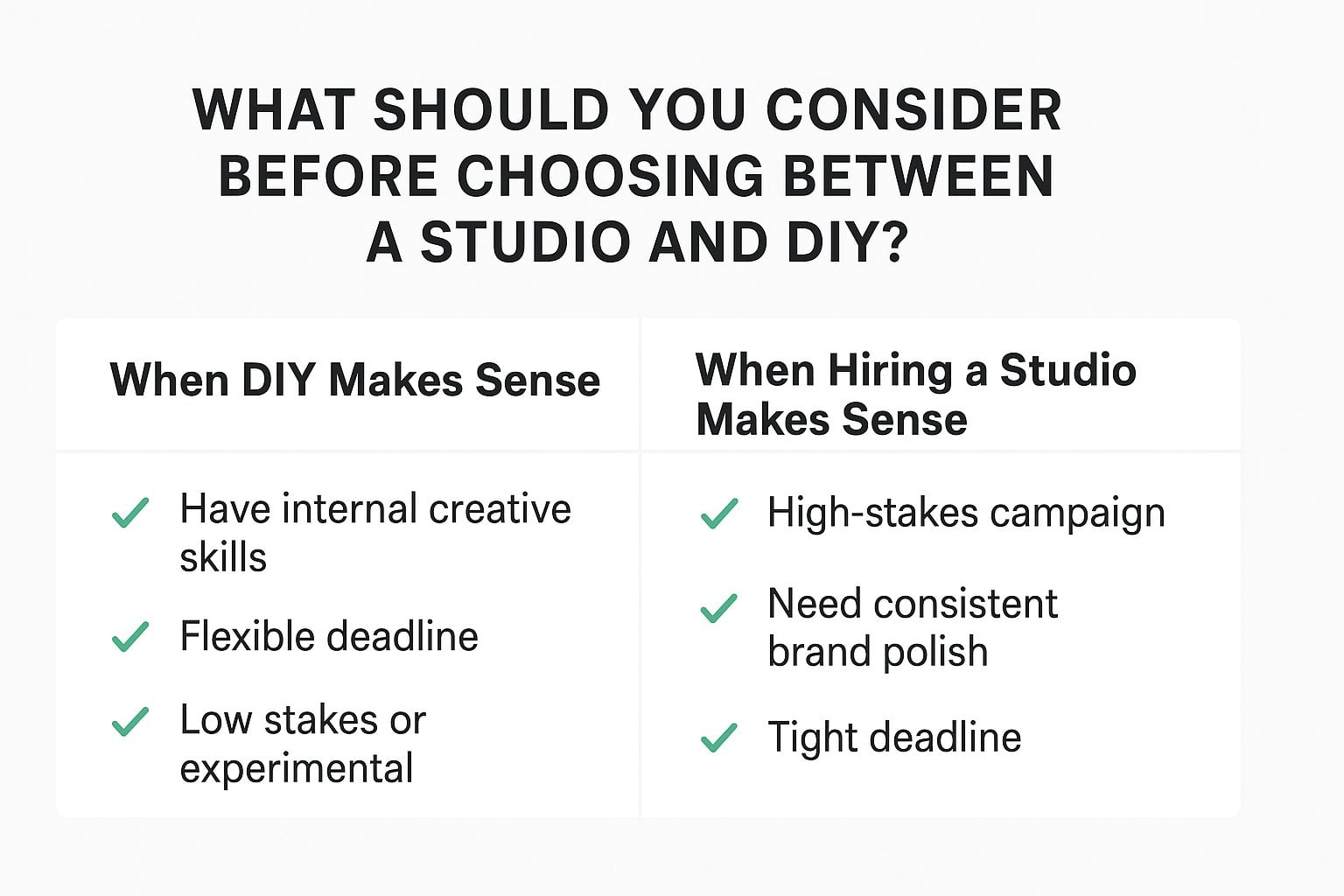
The best decision always starts with understanding what the video needs to achieve, how fast it has to be done, and who will realistically handle the work.
I’ve read this report from Gartner that said the average of 9.1% of company revenue in 2023 to 7.7% in 2024. That’s a 15% year-over-year decline. The same report indicates that only 24% of CMOs say they had enough budget to execute their 2024 strategy.
Looking at these numbers, many businesses turn to DIY solutions to stretch limited budgets, but that can come with trade-offs in time, quality, and internal resources.
Here are some considerations before choosing a studio and DIY approach for your explainer video project.
The Goal of the Video
In many of my projects, this is the question that unlocks everything. When the goal is crystal clear, the production approach becomes much easier to decide.
If the video needs to carry heavy strategic weight or speak to high-stakes audiences, clients often lean toward a studio.
But when the goal is simple or experimental, DIY can be perfectly practical. The clarity of purpose shapes the level of polish, storytelling, and resources you’ll need.
The Time You Can Actually Commit
There are many moving parts that go into an explainer video. Scripting, storyboarding, voiceover, design, animation, revisions. They all take time, even when you’re using templates or AI tools.
If your team is already stretched thin, DIY can quickly become a bottleneck that delays other priorities.
But if you have someone who can genuinely dedicate the hours without compromising their main responsibilities, the DIY route can work just fine. Being honest about capacity upfront prevents a lot of mid-project stress.
Skills or Tools You Need to Produce It
When I talk with clients, this is usually where they pause and reassess. An explainer video might look simple on the surface, but creating one requires a mix of writing, visual design, animation, audio editing, and project coordination.
Most studios, including our own studio, have teams that have been creating explainer videos for years or even over a decade, which means we’ve learned how to navigate the challenges each project brings.
If your team already has those skills (or access to tools they’re comfortable using), DIY can be a realistic option. But if any of those pieces are missing, the learning curve can slow everything down and affect the final quality.
A studio essentially brings a complete toolkit and experienced specialists, which is why some clients choose that path to avoid unnecessary friction.
The Quality and Professional-Looking Aspect
The required level of polish often becomes the tipping point. If the video will live on your homepage, represent your product in front of investors, or anchor a significant campaign, most clients prefer the consistency and refinement that a studio can deliver.
For example, in one of our projects for OLEDWorks, we used a realistic 3D animation style to help the client clearly communicate their aerospace innovation.
The final video combined precise technical visuals with smooth motion and engaging storytelling, allowing the client to showcase complex technology in a way that was easy to understand and visually impressive.

For novices, this type of video can be difficult to plan, design, and execute effectively without experience in 3D animation and technical visualization.
On the other hand, if the video is internal, low-stakes, or more experimental, a simpler DIY approach can be more than enough.
The higher the expectations for visual quality, storytelling, and smooth animation, the more likely it is that professional help will save time and headaches.
How Much Does It Really Cost to Work With a Studio vs. Doing It Yourself?
Hiring a studio means paying for a full team’s expertise, while DIY often looks cheaper upfront but can require significant internal hours, learning curves, and tool subscriptions. The real cost becomes clear when you compare the time investment, the stakes of the project, and the level of polish you expect.
| DIY Video Costs | Studio-Made Video Costs |
| Software subscriptions (animation tools, editing tools) | One all-inclusive project fee |
| Stock assets (illustrations, icons, music, SFX) | Access to a full creative team (writers, designers, animators, VO producer) |
| Voiceover purchase or recording setup | Professional voiceover included or sourced |
| Internal team hours spent scripting, designing, animating, and revising | Dedicated project manager coordinating everything |
| Learning curve + troubleshooting time | Faster turnaround with streamlined workflow |
| Possible upgrades for better tools or plugins | Consistent quality and polished final result |
What Does a Studio Usually Cost?
Studios typically price their work based on the complexity of the animation, the length of the video, and how many specialists need to be involved.
You’re paying for a full team (writers, illustrators, animators, producers), so the cost reflects that collective expertise. For many clients, the value comes from speed, polish, and not having to manage all the moving parts themselves.
At Breadnbeyond, we keep our pricing straightforward by aligning it with the level of customization and the workload required for each stage. Some projects need intricate character animation and detailed storytelling, while others are more straightforward.
To make budgeting even easier, we offer a Video Cost Calculator, which you can use quickly to estimate the price of your project based on your video length, style, and complexity.
It helps you see what your investment might be and decide which approach fits your goals and budget before even getting a quote.
What Costs Should You Expect With DIY?
DIY looks cheaper at first, but there are still expenses you’ll need to factor in. Most teams end up paying for software subscriptions, stock assets, voiceover, and sometimes new tools they didn’t plan for.
The bigger “cost,” though, is usually the internal time spent learning, creating, revising, and troubleshooting, especially if video production isn’t part of someone’s day-to-day role.
Some clients tell me that DIY only feels inexpensive until they realize how many hours it actually takes to get the video to a level they’re happy with.
How Does Your Time Affect the Total Cost?
Time is the silent budget line most teams forget to calculate. When you produce a video yourself, every hour spent writing, designing, animating, or revising is an hour pulled away from your core responsibilities. So the “savings” can disappear quickly.
With a studio, you’re essentially buying back that time, which is why many clients decide the higher upfront cost is worth the reduced workload and faster turnaround.
What Are the Pros of Studio-Made Videos vs. DIY Videos?
Both approaches have their own strengths. This section keeps the comparison fair and simple so readers can quickly see which direction fits their goals.
What Are the Advantages of Studio-Made Videos?
Studio-made videos shine in quality, consistency, and professional polish. They’re ideal when you need something that truly represents your brand at its best.
Key advantages:
- Stronger visual and audio quality thanks to experienced production teams.
- More consistent branding, from colors and tone to storytelling style.
- Faster overall workflow because studios already have established processes.
- Lower risk of trial-and-error to make sure the final product hits the mark.
- Access to pro equipment, including lighting setups, high-end cameras, and motion graphics.
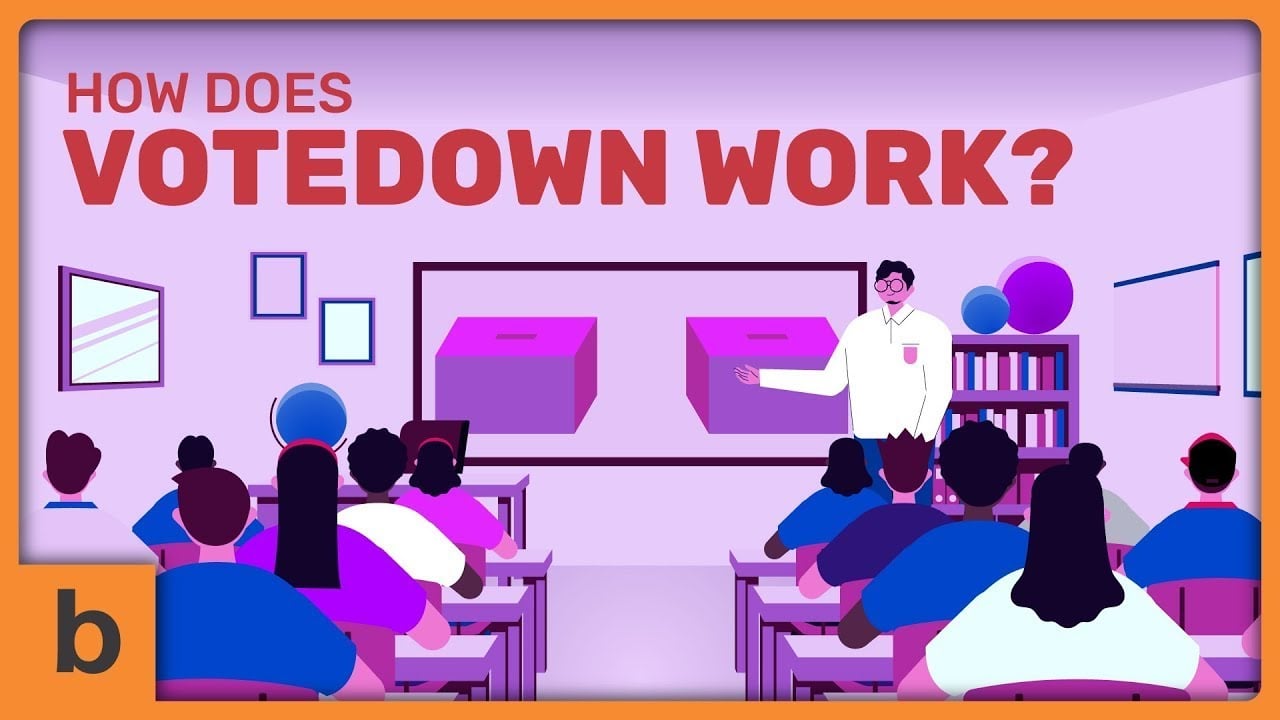
For example, we worked on multiple projects for the VoteDown campaigns, which focus on holding irresponsible politicians accountable.
The first video introduces the campaign:
The next video spreads awareness about the cause and why campaigns like this are important:
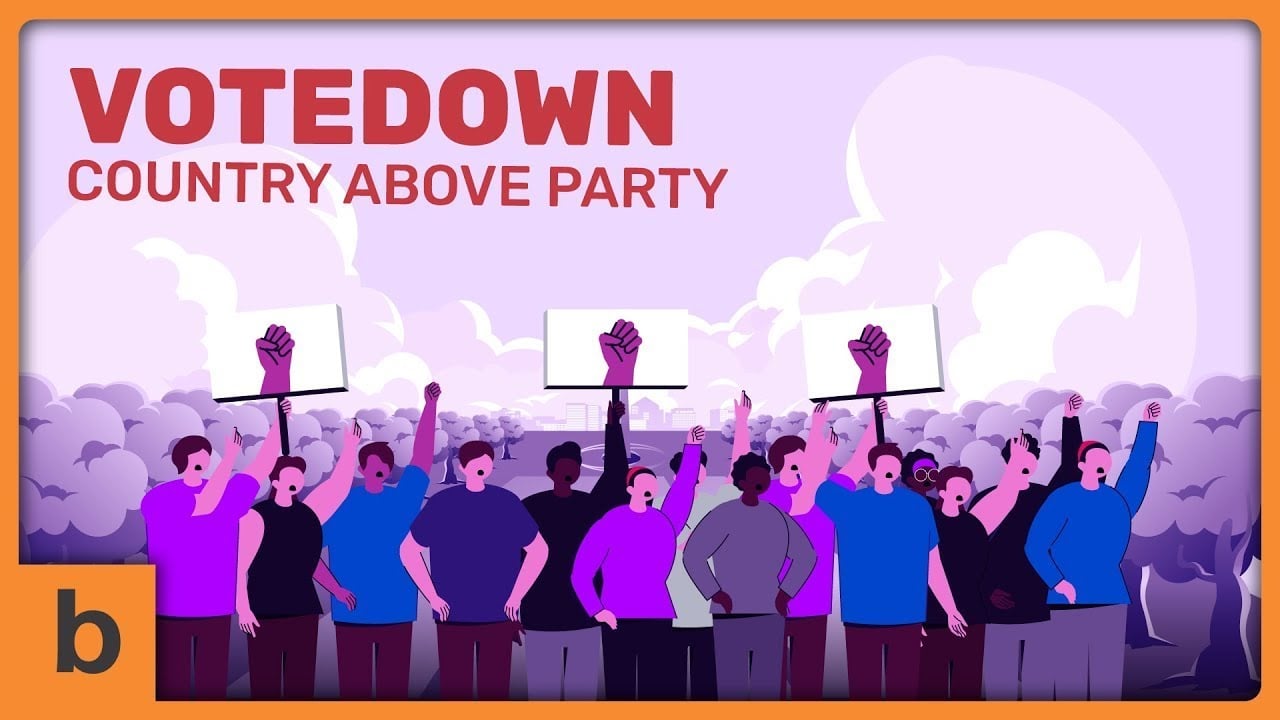
Another video dives deeper into a specific issue, fighting dark money in politics:

Across all these videos, we kept the visuals consistent. This makes sure the messaging feels unified and professional at every touchpoint. So we can reinforce audience trust and recognition.
This consistency and polish are exactly the kind of benefits you get when you invest in professional video production. High-quality visuals, cohesive storytelling, and a smoother workflow that DIY alone might struggle to match.
What Are the Advantages of DIY Videos?
DIY videos excel in flexibility, speed, and cost efficiency. They’re great for ongoing content or campaigns that require frequent updates.
Key advantages:
- Lower production costs, since you’re not hiring a full team or renting a studio.
- Full creative control over style, pace, and execution.
- Flexible and fast, so you can shoot anytime without scheduling constraints.
- Perfect for spontaneous content, like behind-the-scenes moments or quick announcements.
- Encourages experimentation. You have all the space and room to try formats without pressure.
What Risks Should You Be Aware of With DIY vs. Studio Production?
DIY often risks delays, uneven quality, or creative burnout, while studio work can come with misaligned expectations or limited flexibility if communication isn’t clear.
Understanding these trade-offs upfront helps you choose the path that feels manageable rather than stressful.
| DIY Video Cons | Studio-Made Video Cons |
| Project delays due to limited time | Misaligned expectations if the brief isn’t clear |
| Inconsistent quality across scenes or styles | Less flexibility because of structured workflows |
| Skill gaps slow down progress | Revision cycles may be limited or scheduled |
| Creative burnout from juggling multiple roles | Communication gaps if feedback isn’t specific |
| Rushed final output when deadlines tighten | Style or pacing may feel “off” without good references |
What Are the Common Risks of Going DIY?
The biggest DIY risk is underestimating how long the project will take. Teams often start strong but lose momentum once they hit the writing, design, or animation stages, especially if those skills aren’t part of their everyday work.
Quality can also become inconsistent when multiple people contribute on top of their main responsibilities. And when deadlines tighten, a DIY approach sometimes cuts corners or rushes the final product, which can dilute the message or reduce the video’s impact.
What Are the Possible Risks When Working With a Studio?
Even with experienced studios, the main risk usually comes from misaligned expectations, especially around style, pacing, or how detailed the story should be. If the brief isn’t clear, the first draft may feel “off,” which can slow down the process.
Some clients also worry about losing some flexibility because studios follow a structured production pipeline.
The key is clear communication from the start, so both sides understand the vision, constraints, and level of involvement you want.
How Can You Reduce These Risks Before Starting the Project?
Most risks (whether DIY or studio) shrink dramatically when expectations are aligned early. Taking time to define the goal, audience, style, and timeline gives everyone a clearer runway.
Sharing reference videos, outlining must-have messages, and setting realistic checkpoints also help. And whether you’re handling it in-house or hiring a studio, having one decision-maker speeds things up and prevents mixed feedback from derailing the process.
Are Studio-Made Explainer Videos Still Worth It?
With so many tools available today, including AI video generators, template-based editors, and plug-and-play animation platforms, it’s easier than ever to create a video on your own.
But that accessibility doesn’t replace what a professional studio delivers.
Studio-made videos are still worth it when you need strategic storytelling, brand consistency, and a level of refinement that DIY tools can’t replicate.
They’re especially valuable for high-stakes moments: product launches, investor presentations, major campaigns, or anything that needs to represent your brand at its best.
In those cases, the expertise, structure, and creative depth of a studio elevate the message far beyond what off-the-shelf tools can achieve.
Takeaway: How Do You Know Which Option Delivers Better Results For Your Goals?
It comes down to clarity on what you’re trying to achieve. If your project demands precision, long-term brand impact, or a message you can’t afford to get wrong, a studio is the safer bet.
If the goal is speed, experimentation, or hands-on learning, DIY gives you that flexibility. The better option is simply the one that aligns with the outcome you care about most.
Mini FAQ: How to Choose Between DIY and Studio-Made Explainer Videos?
Can a small team really produce a quality explainer video on their own?
Yes, but “quality” is relative. A small team can create something functional with stock assets and templates, yet high-end storytelling, smooth animation, and technical polish often require experience that comes from doing it repeatedly over years.
How do I know if my DIY video will actually engage viewers?
Engagement usually hinges less on production value and more on clarity and pacing. If your video clearly communicates one main idea in a visually coherent way, it can hold attention, even if the animation isn’t studio-grade.
What hidden costs should I expect when going DIY?
Time is the biggest hidden cost. Learning software, iterating on designs, sourcing assets, and troubleshooting technical issues can easily outweigh the monetary savings of hiring a studio.
Are studios always worth the higher price?
Not necessarily. Studios shine when a video needs precise visuals, custom animation, or brand-critical storytelling. For internal communications, simple product demos, or fast iterations, a DIY approach may be more efficient.
Can hybrid approaches work, meaning part DIY, part professional?
Absolutely. Many companies script and storyboard in-house but outsource animation or voiceover. This approach balances cost, control, and quality, and lets teams leverage professional expertise where it matters most.